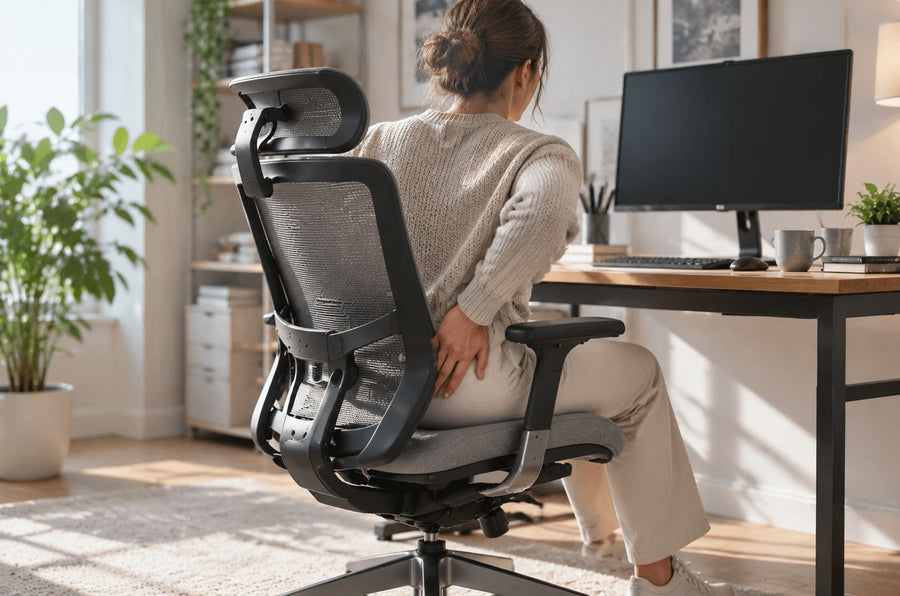
The right ergonomic setup should adapt to your body, support frequent movement, and stay comfortable through a full workday.
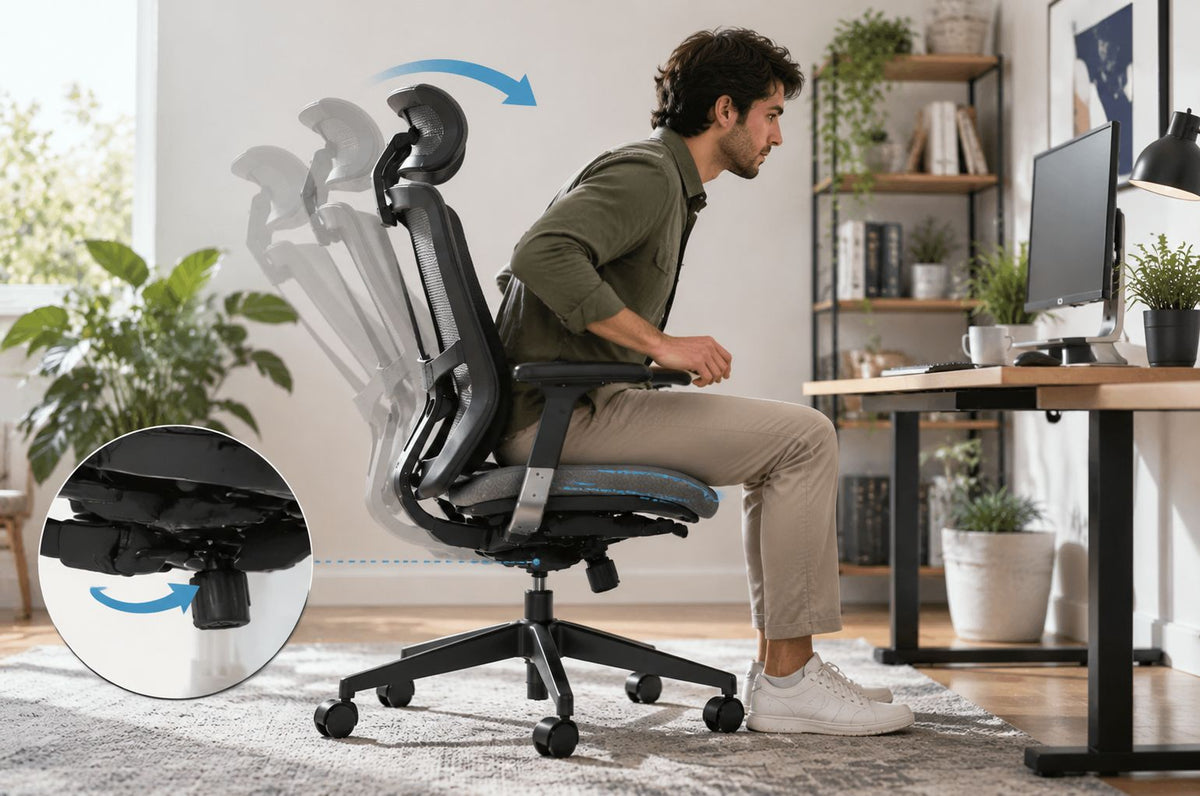
An office chair can lean forward for four very different reasons: the seat has an intentional forward-tilt setting, the recline system is returning toward its upright position, the chair is moving without a control command, or the chair is stationary while the person slides toward the front. The first two may be normal for a particular model. Uncommanded movement, a failed lock, looseness, or a visible structural change is not something to correct by guessing at a knob.
Start by identifying which rigid part changes angle. Compare the floor and base, center column, seat pan, and backrest. Then confirm the exact model and use its current guide. Control positions and operating sequences vary enough that a generic instruction such as “turn the knob left” can create a new problem instead of resolving the original one.
Use the movement, not the feeling, as the clue
“The chair pushes me forward” describes an experience, not a failed component. A seat that slopes down at the front is different from a backrest that returns forward. Both are different from hips sliding across a seat that has not moved. Identify the event before changing a setting.
| What you observe | What actually changes | First question to answer | Do not assume |
|---|---|---|---|
| The front of the seat rests lower than the rear | Seat-pan angle | Does the model have a documented forward-tilt feature? | That the chair is broken |
| The seat and back move forward together after reclining | Recline or synchronized-tilt position | Is this the documented return motion, and is it smooth and controllable? | That seat tilt and recline tension are the same control |
| The backrest comes forward while the seat stays in place | Backrest angle or responsive support | Is the backrest meant to move, lock, or follow the user? | That a forward force proves internal damage |
| The chair changes angle, drops, clunks, or releases without a command | Unknown until the load path is inspected | Did the behavior begin suddenly or change from the documented operation? | That a familiar-looking knob is a safe fix |
| The chair remains still while the hips move toward the front edge | The person’s position on the seat | Are the feet supported, seat depth usable, backrest reachable, and work close enough? | That the chair itself is leaning |
A slight forward seat angle can be an intended adjustment. The OSHA computer-workstation purchasing checklist, for example, treats forward and backward seat-pan tilt as a possible adjustable range. That does not mean every chair has the feature or that any forward angle is acceptable. It means the angle must be interpreted against the model’s documented design.
Check for stop signs before testing a control
Remove the chair from use before further testing if you see or hear any of the following:
- a cracked or bent base leg, seat support, backrest frame, or other load-bearing part;
- a missing load-bearing fastener, an enlarged mounting hole, a separated joint, or a damaged weld;
- a caster that is broken, partly detached, or lifting away from the floor as the chair is loaded;
- a seat or backrest that releases suddenly, will not hold a documented position, or shifts with a hard clunk;
- an exposed, detached, or frayed control cable or linkage;
- a new forward drop after an impact, move, assembly change, or part replacement.
Do not sit on the chair to “see what happens” after one of these signs appears. Do not place hands under an occupied seat, force a control, open the mechanism, or add a shim to a structural connection. Record the model and the visible condition, then use the manufacturer’s support route.
Build four reference lines before drawing a conclusion
You do not need to measure an exact angle. You need a repeatable side view that shows which part moves. Put the unloaded chair on a firm, level surface where all casters contact the floor. Remove a loose cushion or accessory that hides the seat edge, but do not disassemble the chair.
- Record the control state. Photograph any visible model label and the current position of labeled controls. If the labels are unclear, stop and find the guide rather than assigning functions by shape.
- Frame the whole chair from the side. Keep the floor, all visible casters, center column, seat, and backrest in the image. A fixed camera position makes before-and-after views easier to compare.
- Use rigid references. Compare the floor to the base, the center column to a vertical background edge, the rigid seat carrier or frame to the floor, and the backrest frame to the seat. Foam, mesh, lumbar pads, headrests, and upholstery contours are not reliable level references.
- Observe the unloaded resting position. Note whether the front of the seat is already low, whether the backrest rests forward, and whether every caster remains planted. Do not press, twist, or bounce the chair.
- Only if the stop check passes, reproduce one normal movement. Sit centered in the ordinary direction, keep both feet supported, and move once from backrest contact to the normal task position. A helper or stationary phone can record the chair from the same side. Stop if the movement is sudden, uneven, noisy, or difficult to control.
This is an observation test, not a home load test. Do not stand on the base, push down on one seat corner, exceed the rated use, or use body weight to force a locked mechanism.
Read the result by following the part that moved
The seat pan starts and stays at a forward angle
Look in the model guide for terms such as seat tilt, forward tilt, forward tilt lockout, or seat angle. An intended feature should have a documented control and operating condition. Some designs require a particular seated or reclined position before the control will engage or release; the correct sequence must come from that chair’s guide.
Do not identify the control by location alone. The UCSF chair-adjustment job aid explicitly notes that control positions and labels vary by brand. It also describes a level seat as the common neutral position while recognizing that a slight forward tilt may suit some forward-working positions. A forward setting fails the practical check if it makes you feel as though you are falling out, removes reliable foot support, or cannot be changed as the guide describes.
The seat and backrest return forward together
This may be the chair’s normal recline return rather than a forward-tilt fault. Observe whether the motion begins only after you stop leaning back, remains centered, and ends at the same documented upright position each time. Tilt tension may affect the force required to recline or the feel of the return on some models, while a tilt lock or limiter controls allowed movement. Those functions are not interchangeable.
If the return is forceful, newly different, asymmetric, accompanied by a clunk, or continues past the documented upright position, stop using the chair and contact support. Do not open the under-seat mechanism or weaken a spring by improvised adjustment.
The backrest moves but the seat does not
Separate backrest angle from seat angle. A responsive backrest may follow the torso, and a recline system may return the backrest forward when pressure is released. An adjustable lumbar section can also create a forward-contact sensation without changing the seat. Compare the visible backrest frame rather than the shape of a soft pad.
Consult the manual for backrest angle, recline lock, lumbar depth, or responsive-back operation. Reduce or change only the documented setting. If the backrest cannot hold a position it is supposed to hold, moves beyond its stated travel, or has a loose structural connection, the next step is support rather than further adjustment.
The whole chair pitches or one end of the base changes height
Return to the surface and support path. A soft mat, threshold, damaged caster, debris under a wheel, bent base, or incomplete caster installation can change how the entire chair sits. Move an otherwise undamaged chair to a verified level surface for comparison. If the pitch follows the floor, address the surface. If it stays with the chair, or a caster lifts or shifts, stop using the chair and document the base and casters.
The chair stays fixed while the body moves forward
That is a fit or workstation problem, not proof that the mechanism leans. Check whether both feet have a stable surface, the seat depth allows backrest contact without pressure behind the knees, the backrest is reachable, and the keyboard and mouse do not require a forward reach. The CCOHS ergonomic-chair guidance connects a usable forward seat angle with supported feet and enough surface friction to avoid sliding or transferring too much load to the feet.
Restore an intended setting only from the model guide
Once the observation shows a smooth, symmetric, repeatable movement and no stop sign, identify the exact chair model. A model name is more useful than a brand name because control layouts can vary within one product line. For an OdinLake chair, start with the current assembly and product-guide page. Match the chair name, version, and visible controls before operating anything.
If the observation points to a documented recline or tilt adjustment, OdinLake’s office-chair tilt guide explains how tilt tension, tilt lock, backrest angle, and seat tilt differ. Use it to identify the control category, then let the exact model guide own the operating direction and starting condition.
Use this sequence without substituting generic directions:
- Find the exact control name and its starting condition in the guide.
- Confirm whether the chair should be occupied, unloaded, upright, or reclined before the control moves.
- Operate the control once through the documented range without forcing it.
- Observe whether the seat or backrest reaches the stated position and remains there as intended.
- Return to the original task and verify foot support, seat contact, backrest contact, and reach.
The CCOHS office-chair adjustment guide treats seat tilt as a preference-led adjustment within the larger chair, desk, and floor setup. That is the useful boundary: restoring a documented setting is not the same as declaring one angle universally correct.
Do not level a chair with improvised structural changes
A spacer, washer stack, wedge, drilled hole, substitute fastener, or bent bracket can alter the chair’s load path and the way fasteners engage. It can also conceal the evidence support needs to identify the original condition. Do not modify the seat plate, tilt mechanism, column, base, backrest mount, or control linkage to counter a forward angle.
Also avoid treating the gas lift as the default cause. A height cylinder primarily changes or holds seat height. A chair that sinks vertically is a different symptom from a seat pan that changes angle. The cylinder or its mounting connections may still be part of the visible load path, but the forward direction alone does not identify that component.
Send support evidence that separates setting from fault
If the model guide does not explain the movement, or the chair fails one of the observable checks, a short evidence packet is more useful than the phrase “leans forward.” Include:
- brand, exact model, variant, and any serial or order information requested by the manufacturer;
- purchase and assembly date, plus whether the behavior was present from first use or began later;
- a side-view photo of the unloaded chair showing the floor, base, column, seat, and backrest;
- a short side-view video of the single normal movement that reproduces the problem, only if the chair passed the stop check;
- the control name and position used, copied from the current guide;
- whether the motion is smooth or sudden, centered or asymmetric, repeatable or intermittent;
- clear close-ups of any looseness, missing hardware, damaged caster, crack, bend, separated joint, or cable issue.
Do not keep sitting in a chair to obtain better footage once a stop sign appears. OdinLake owners can use the current customer-support page and attach the model-specific evidence requested by the team.
Verify the result in the task that exposed the problem
After a documented adjustment or authorized correction, repeat the same side-view observation on the same level surface. Then repeat the ordinary task that first made the chair feel forward: typing, reading, drawing, or moving between an upright and reclined position.
A useful result is observable. The intended control produces the documented movement; the seat and backrest remain centered; the chair holds or returns as specified; all casters stay supported; both feet can remain stable; and you can use the backrest without being forced toward the seat edge. If normal settings are restored but the workstation still pulls you forward, arrange the desk and input devices around the chair. OdinLake’s live ergonomic-chair adjustment guide covers that broader setup task.
If the angle or motion changes again, a lock does not hold, a structural noise returns, or the chair behaves differently under the same control state, stop use and update support with the before-and-after record.
Frequently Asked Questions
Is it normal for an office-chair seat to tilt forward?
It can be normal when the exact model documents a forward-tilt or seat-angle feature and the movement is smooth, centered, controllable, and repeatable. A new uncommanded drop, failed lock, looseness, or structural noise is not explained by the feature name and should be treated as a stop-and-support condition.
How do I stop my office chair from leaning forward?
First identify whether the seat, backrest, whole chair, or only your body moves. If the chair has a documented forward-tilt setting, return it using the exact model guide. There is no universal lever direction; stop if the control resists, the chair releases suddenly, or the guide does not match the chair.
Why does the backrest push me forward when I stop reclining?
A recline mechanism may return the backrest toward its upright position when you reduce backward pressure. Check whether the motion is the documented return, ends at the same position, and can be controlled normally. A forceful new motion, overshoot, failed lock, clunk, or loose connection needs manufacturer review.
Will the tilt-tension knob fix a chair that leans forward?
Not necessarily. Tilt tension commonly changes recline resistance on chairs that provide it; it is not a universal seat-leveling control. Confirm the knob’s function and operating direction in the model guide, and never force it or use it to compensate for visible damage.
How can I tell whether the chair’s tilt mechanism is broken?
Look for a change from documented behavior: movement without a control command, a position that no longer holds, sudden release, asymmetry, excess looseness, grinding or clunking, or visible damage. Those signs can justify stopping use, but they do not identify the internal failed part. Send the model, control state, and side-view evidence to the manufacturer rather than opening the mechanism.
Can I put washers or a wedge under the seat to make it level?
Do not add an unverified spacer or alter a load-bearing connection. A shim can change fastener engagement, seat geometry, and force distribution while hiding the original problem. Use only the documented adjustment or an authorized part and procedure for the exact model.