The right ergonomic setup should adapt to your body, support frequent movement, and stay comfortable through a full workday.
You sit in an office chair at the store and it feels good. Then you try to type at a desk and the armrests hit the edge before you can get close enough. That second moment tells you more than the first. If you’re shopping for a chair for your home office, bring a few measurements and use your showroom time to recreate the work you do at home.
On November 13, 2026, Tom’s Hardware reported that Secretlab planned to open a Los Angeles showroom and add dedicated displays in 15 Best Buy stores starting November 18. More places to try that brand’s furniture give some shoppers an option they didn’t have before. You can use the same 10-minute checklist wherever you find a floor model, whether that’s a local office furniture dealer or a big-box store.
Before you leave: Measure your desk in three places
Bring a tape measure and wear the shoes you normally work in. If you work barefoot, account for that when you judge whether your feet will reach the floor. Make a note of these three numbers:
- Floor to the typing surface. Measure to the top of the desk, or to the tray if that’s where your keyboard sits. With a height-adjustable desk, record the setting you actually use while seated.
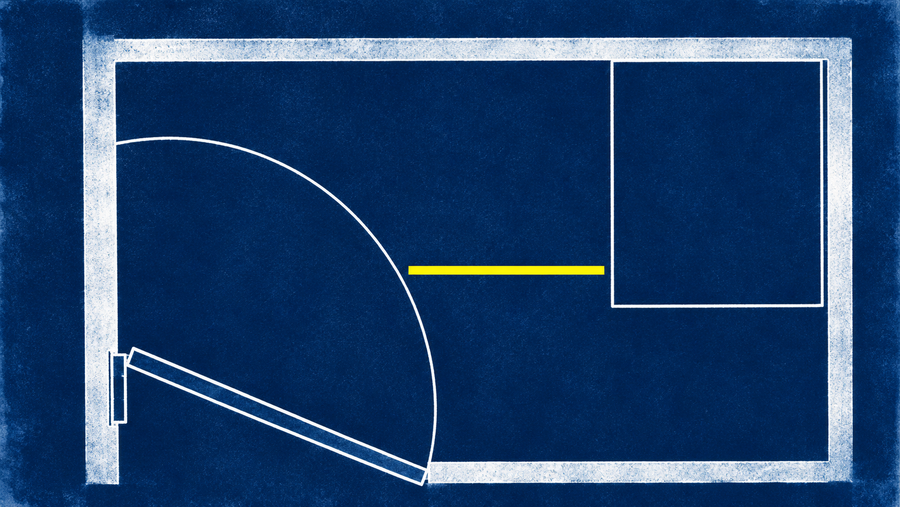
- Floor to the lowest part under the desk. Check the front edge, drawer, or support rail where the armrests would pass. The underside of the tabletop can be higher than the part that actually blocks the chair.
- Width of the seating opening. Measure between the legs, drawer unit, or other obstacles. Leave room to approach at a slight angle if that is how you normally sit down.
Bring a photo from the side if you have a thick desk edge or a drawer. If the display desk is very different from yours, the photo and measurements are better evidence than how easily the chair slides under that particular display.
Use the same 10-minute test on every chair
Minutes 0–2: Set the seat before judging the cushion
Start with seat height. Sit all the way back, let your shoulders relax, and check whether your feet rest securely. Try the depth adjustment if there is one. The seat should support your thighs without pressing at the backs of your knees. If you have to perch on the front to free your knees, the backrest isn’t doing you much good. OSHA’s computer workstation chair guide explains what to check for in the seat, backrest, and armrests.
Minutes 2–5: Recreate a real typing and mouse task
Pull up to the display desk. Type a sentence if a keyboard is available, then move your hand to where your mouse would sit. Can you do both without reaching forward or lifting a shoulder? If the armrests hit, try changing their height or moving them aside if the model allows it. Look at where they end up relative to the clearance you measured at home. Raising the chair to reach a high desk may leave your feet unsupported; solve that part of the setup too, or keep looking.
Minutes 5–8: Change positions, then return to typing
Lean back to read, then come forward as if you’re returning to an email. Check that the backrest feels usable in both positions and that you can reach the controls from the seat. Try the adjustment twice without looking under the chair. For the first try, ask an associate to show you how the demo works if the labels aren’t clear. A chair can have a perfectly useful control that you still won’t use if reaching it interrupts your work.
Minutes 8–10: Write down the first thing you’d have to fix
Note the exact model, size, and seat material on the floor. Then write one sentence about the main compromise: “My right armrest hits the drawer,” for example, or “My feet are supported only at the lowest setting.” A note like that is more useful than a comfort score. If you try a second chair, test it in the same order and see whether it solves that specific problem.
Compare the chair you tested with the one you can buy
A display can tell you whether the controls make sense today. It cannot tell you how the seat will feel after a full afternoon, whether a different cushion will feel the same, or whether the chair works with your actual desk. If you order online, verify the exact configuration and read the delivery and return checklist before discarding the packaging. Check which return rules apply to the retailer you buy from.
If a low desk edge was the problem, the OdinLake L3 FlexBreath ergonomic chair is one option to evaluate. OdinLake lists flip-up armrests, adjustable seat depth, and an 18.5-to-22-inch seat height range. The pivoting arms give you another way to clear the desk. They won’t lower the seat below its published minimum, and the product page doesn’t tell you exactly how the arms will line up with your particular drawer. Compare your measurements with the current configuration before ordering.
What if there’s nowhere to sit in the exact chair?
Use a chair you already know as a reference. Measure its seat at a setting that works, and write down what you want to keep and what you want to change. If a listing leaves out a measurement that decides whether the chair fits, ask the seller for it. For an online purchase, plan to repeat the same keyboard and mouse test at home while you still have the packaging and can refer to the seller’s return policy.
Use this checklist to rule out obvious fit problems and choose between configurations. If you’re buying around a clinician’s advice or a specific workplace accommodation, use those requirements first. A short showroom test can answer “Does this work with my desk?” A normal work session is a better way to answer “Do I want to sit here every day?”