Quick Answer The right ergonomic chair is adjustable, body-fitting, and supportive for long sitting hours. It should support your lower back, keep your feet stable, allow your knees to stay near 90 degrees, and reduce pressure on your...
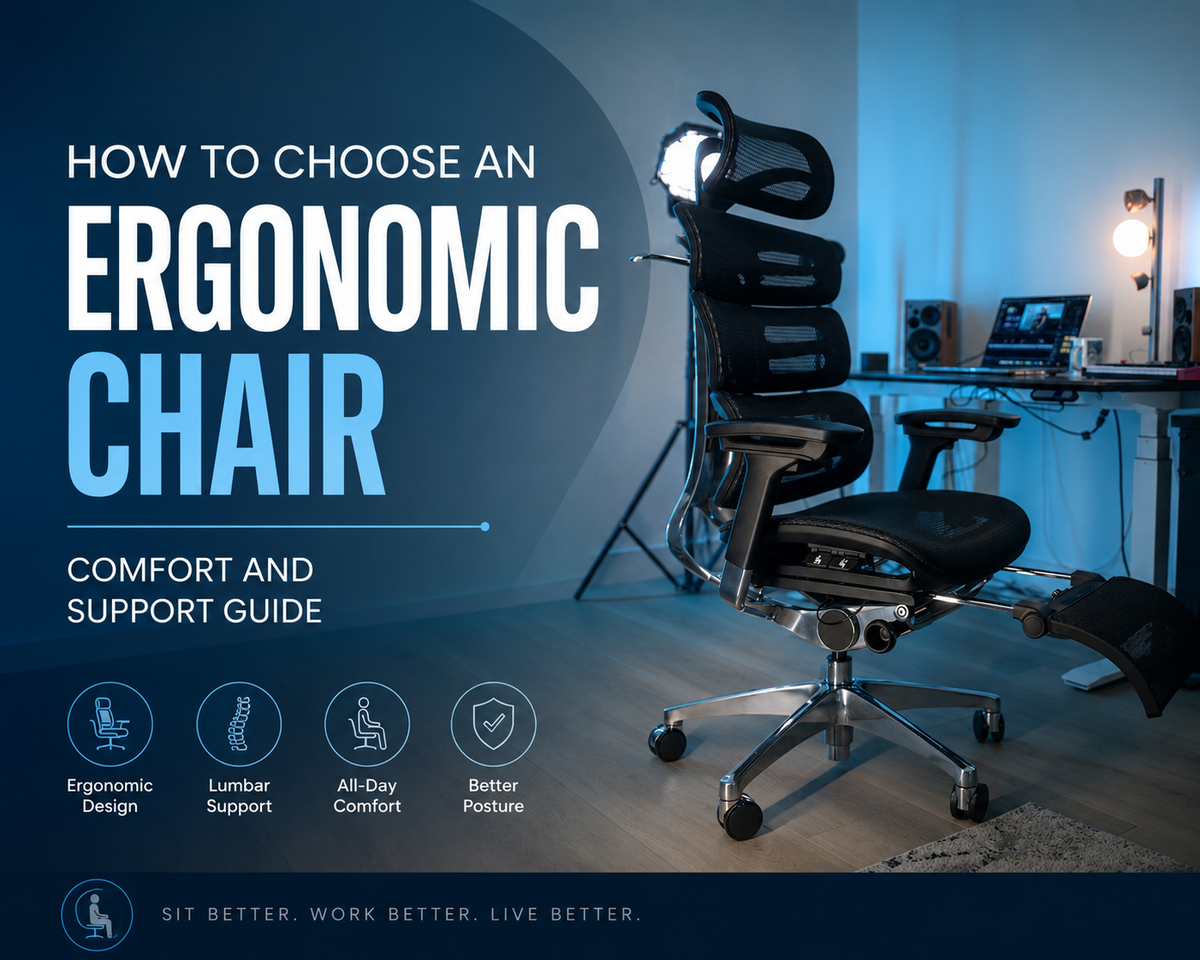
The right ergonomic setup should adapt to your body, support frequent movement, and stay comfortable through a full workday.
Quick Answer
The right ergonomic chair is adjustable, body-fitting, and supportive for long sitting hours. It should support your lower back, keep your feet stable, allow your knees to stay near 90 degrees, and reduce pressure on your shoulders and hips. When choosing an ergonomic desk chair, prioritize lumbar support, seat height, seat depth, recline, armrests, and breathable materials.
Introduction
An ergonomic chair affects comfort, posture, and work focus because it controls how your body is supported during long sitting hours. A good ergonomic desk chair should fit your body, match your desk height, and allow posture changes throughout the day. When comparing the best ergonomic office chair options, fit and adjustability should come before style or price.
Key Features to Consider in an Ergonomic Desk Chair
A good ergonomic desk chair should support your lower back, fit your body, and adjust to your desk setup. Focus on these core features before comparing style or price.

Lumbar Support
Lumbar support helps maintain the natural curve of your lower spine. It should support your lower back comfortably without pushing your posture too far forward.
Seat Height
Seat height should let your feet rest flat on the floor. Your knees should stay close to a 90-degree angle so your thighs and lower back remain supported.
Seat Depth and Width
Seat depth and width should support your thighs without pressing behind your knees. The seat should also give your hips enough room to sit naturally.
Backrest and Recline
The backrest should support your spine while allowing posture changes. Reclining and tilting help reduce pressure from sitting in one fixed position for too long.
Armrests
Armrests should support your elbows while keeping your shoulders relaxed. Adjustable armrests can help reduce tension in the neck, shoulders, and upper back.
Material
Material affects airflow and comfort during long sitting hours. Mesh improves breathability, while padded seats can add cushioning. For users comparing adjustable ergonomic office chairs, the OdinLake O2 (Ergo MAX 747) is a relevant option because it combines breathable mesh, lumbar support, recline, and adjustable armrests.
Ergonomic Chair Buying Checklist
Before buying an ergonomic chair, check these core points:
-
Seat height lets your feet rest flat on the floor.
-
Seat depth supports your thighs without pressing behind your knees.
-
Lumbar support fits the natural curve of your lower back.
-
Armrests support your elbows without lifting your shoulders.
-
Recline allows posture changes during the day.
-
Material matches your sitting time and comfort needs.
-
Chair size fits your body and workspace.
How to Find the Best Ergonomic Office Chair for Your Body
The best ergonomic office chair should match your body size, sitting time, and workspace. Use body fit as the first filter before comparing design, price, or extra features.
-
Petite users: Choose a lower seat height and shorter seat depth so your feet stay flat and the seat edge does not press behind your knees.
-
Tall users: Choose a higher backrest and deeper seat so your back and thighs receive enough support.
-
Lower-back discomfort: Prioritize lumbar support that fits the natural curve of your lower spine without pushing too hard.
-
Long work hours: Choose breathable material, recline, lumbar support, and adjustable armrests. The OdinLake O2 may suit users who need these features in one chair.
-
Small workspaces: Choose a compact ergonomic desk chair with full support and less bulk. The OdinLake L1 is a practical option for smaller home office setups because it offers daily sitting support without adding excess bulk.
-
Hybrid workers: Choose reliable comfort, practical adjustments, and good value for mixed home and office use.
-
Shared offices: Choose a chair with quick seat height, armrest, and back support adjustments so different users can reset it easily.

Common Mistakes to Avoid When Buying an Ergonomic Chair
The main mistake is choosing a chair by appearance or price before checking fit and support. A chair should match how you sit, how long you work, and how much space you have.
-
Choosing looks over support: A stylish chair is not enough if it lacks lumbar support, recline, or proper adjustment.
-
Ignoring body fit: A chair that is too large or too small can create pressure, even when it is marketed as ergonomic.
-
Overlooking adjustability: Fixed chairs are harder to match to different desks, users, and sitting habits.
-
Assuming expensive means better: A higher price does not prove better comfort. Fit and function matter more than price alone.
-
Forgetting workspace needs: A chair should match your room size, desk height, and daily sitting time.
|
Mistake |
Why It Matters |
What to Do Instead |
|
Choosing looks over support |
Style does not guarantee comfort |
Check lumbar support, recline, and adjustability |
|
Ignoring body fit |
Poor sizing can create pressure |
Match seat height, seat depth, and backrest to your body |
|
Overlooking adjustability |
Fixed settings limit fit |
Choose adjustable seat height, armrests, and lumbar support |
|
Assuming expensive means better |
Price does not provide comfort |
Compare features against your body and workspace needs |
|
Forgetting workspace needs |
Large chairs may not fit in small rooms |
Measure your desk height and floor space before buying |
How to Set Up Your Ergonomic Desk Chair Correctly
An ergonomic desk chair should be adjusted from the ground up. Start with seat height, then set foot position, lumbar support, armrests, and recline.
1. Adjust the Seat Height
Set the seat height so your feet rest flat on the floor. Your knees should stay close to a 90-degree angle. This position helps reduce pressure under your thighs and keeps your lower body stable.
2. Position Your Feet and Knees
Keep your feet stable on the floor or on a footrest. Your knees should stay level with or slightly below your hips. Avoid tucking your feet under the chair for long periods because it can reduce support and increase tension.
3. Set the Lumbar Support
Place the lumbar support against the natural curve of your lower back. It should support your spine without forcing your posture. If the support feels too strong or too low, adjust it until your lower back feels stable.
4. Adjust the Armrests
Set the armrests so your elbows rest comfortably. Your shoulders should stay relaxed while typing or using a mouse. Good armrest height can help reduce tension in the neck, shoulders, and upper back.
5. Use Recline and Tilt Properly
Use recline to change posture during the day. Sitting upright all day is not the goal. The goal is supported movement, which helps reduce pressure from staying in one position too long.
Conclusion
The right ergonomic chair fits your body, supports your lower back, and adjusts to your daily work routine. Key features include lumbar support, seat height, seat depth, recline, armrests, and breathable material. For daily work, long sitting hours, hybrid schedules, or compact offices, choose a chair based on fit, support, and workspace needs. A well-chosen ergonomic desk chair can make work more comfortable and help reduce avoidable strain.
FAQ
How to sit to avoid scoliosis?
Sitting posture alone cannot prevent or correct scoliosis, but better sitting habits can reduce unnecessary spinal strain. Keep your feet flat, knees near 90 degrees, hips supported, back aligned with the backrest, and shoulders relaxed. Change posture often because long static sitting can increase discomfort.
What is the 90-90-90 rule for sitting?
The 90-90-90 rule means sitting with the knees, hips, and elbows close to 90-degree angles. This position helps keep your feet grounded, thighs supported, and arms relaxed. It is a useful setup guide, but users should still move and adjust posture during the day.
Which type of chair is best for back pain?
A suitable chair for back discomfort should include adjustable lumbar support, proper seat depth, stable recline, and adjustable armrests. The chair should support your lower back without forcing your spine into an unnatural position. Users with serious or persistent back pain should consult a healthcare professional.
What is the difference between an ergonomic chair and a regular chair?
An ergonomic chair adjusts to the user’s body, while a regular chair usually offers limited support. Ergonomic chairs often include adjustable seat height, lumbar support, recline, armrests, and better seat-depth fit. A regular chair may work for short sitting periods, but an ergonomic desk chair is better suited for daily work and long hours.