
Enhance Your Gaming Space: Comfort, Speed & Function

OdinLake
カート 0
  • Ergonomic Chairs
    • Mesh Office Chair
      • L1 (Ergo UPGRADE 518) | Ergonomic Office Chair
      • O1 (Ergo PLUS 743) | Flex Mesh Ergonomic Chair
      • O2 (Ergo MAX 747) | Three-Section Backrest Ergonomic Chair
      • O3 (Ergo BUTTERFLY 753) | WireControl™ Embedded Armrests Ergonomic Chair
    • Adjustable Office Chair
      • L1 (Ergo UPGRADE 518) | Ergonomic Office Chair
      • L2 (Ergo PRO 633) | Ergonomic Office Chair(Built-in Footrest)
      • O1 (Ergo PLUS 743) | Flex Mesh Ergonomic Chair
      • O2 (Ergo MAX 747) | Three-Section Backrest Ergonomic Chair
      • O3 (Ergo BUTTERFLY 753) | WireControl™ Embedded Armrests Ergonomic Chair
    • Office Chair With Footrest
      • L2 (Ergo PRO 633) | Ergonomic Office Chair(Built-in Footrest)
      • O1 (Ergo PLUS 743) | Flex Mesh Ergonomic Chair
      • O2 (Ergo MAX 747) | Three-Section Backrest Ergonomic Chair
      • O3 (Ergo BUTTERFLY 753) | WireControl™ Embedded Armrests Ergonomic Chair
    • High Back Office Chair
      • O1 (Ergo PLUS 743) | Flex Mesh Ergonomic Chair
      • O2 (Ergo MAX 747) | Three-Section Backrest Ergonomic Chair
      • O3 (Ergo BUTTERFLY 753) | WireControl™ Embedded Armrests Ergonomic Chair
    • All Ergonomic Chair
  • Desks
    • S1 Flip-Top Rear Panel Stand Desk(30"D x 60"W x 45"H)
    • S2 Home Office Standing Desk
    • S3 Home Office L Shaped Standing Desk(63"D x 55"W x 46"H)
    • S4 Home Office L Shaped Standing Desk(75"D x 63"W x 46"H)
    • S5 L-Shaped Standing Desk With Stand Computer Table
    • S6 Home Office Executive Desk
  • Accessories
    • Single Monitor Stand (Fits 4.4 to 19.8lbs Monitors)
    • Dual Monitor Stand
    • Glass Display Cabinet
    • Chair's Accessories
    • OdinLake Ergo O Series Footrest
  • Community
    • OdinLake Insights
    • L1PRO Co-Creation
    • Reviews
    • Videos
    • Blogs
    • Affiliate Program
    • Refer A Friend
  • Support
    • Help Center
    • Exclusive Discounts
    • About Us
    • Contact Us
    • Track Your Order
    • Assembly
  • Bulk Order
私のアカウント
ログイン 登録する
OdinLake
  • Ergonomic Chairs
    • Mesh Office Chair
      • L1 (Ergo UPGRADE 518) | Ergonomic Office Chair
      • O1 (Ergo PLUS 743) | Flex Mesh Ergonomic Chair
      • O2 (Ergo MAX 747) | Three-Section Backrest Ergonomic Chair
      • O3 (Ergo BUTTERFLY 753) | WireControl™ Embedded Armrests Ergonomic Chair
    • Adjustable Office Chair
      • L1 (Ergo UPGRADE 518) | Ergonomic Office Chair
      • L2 (Ergo PRO 633) | Ergonomic Office Chair(Built-in Footrest)
      • O1 (Ergo PLUS 743) | Flex Mesh Ergonomic Chair
      • O2 (Ergo MAX 747) | Three-Section Backrest Ergonomic Chair
      • O3 (Ergo BUTTERFLY 753) | WireControl™ Embedded Armrests Ergonomic Chair
    • Office Chair With Footrest
      • L2 (Ergo PRO 633) | Ergonomic Office Chair(Built-in Footrest)
      • O1 (Ergo PLUS 743) | Flex Mesh Ergonomic Chair
      • O2 (Ergo MAX 747) | Three-Section Backrest Ergonomic Chair
      • O3 (Ergo BUTTERFLY 753) | WireControl™ Embedded Armrests Ergonomic Chair
    • High Back Office Chair
      • O1 (Ergo PLUS 743) | Flex Mesh Ergonomic Chair
      • O2 (Ergo MAX 747) | Three-Section Backrest Ergonomic Chair
      • O3 (Ergo BUTTERFLY 753) | WireControl™ Embedded Armrests Ergonomic Chair
    • All Ergonomic Chair
  • Desks
    • S1 Flip-Top Rear Panel Stand Desk(30"D x 60"W x 45"H)
    • S2 Home Office Standing Desk
    • S3 Home Office L Shaped Standing Desk(63"D x 55"W x 46"H)
    • S4 Home Office L Shaped Standing Desk(75"D x 63"W x 46"H)
    • S5 L-Shaped Standing Desk With Stand Computer Table
    • S6 Home Office Executive Desk
  • Accessories
    • Single Monitor Stand (Fits 4.4 to 19.8lbs Monitors)
    • Dual Monitor Stand
    • Glass Display Cabinet
    • Chair's Accessories
    • OdinLake Ergo O Series Footrest
  • Community
    • OdinLake Insights
    • L1PRO Co-Creation
    • Reviews
    • Videos
    • Blogs
    • Affiliate Program
    • Refer A Friend
  • Support
    • Help Center
    • Exclusive Discounts
    • About Us
    • Contact Us
    • Track Your Order
    • Assembly
  • Bulk Order
アカウント カート 0

当店を検索

OdinLake
アカウント カート 0
人気の検索:
OdinLake 518 OdinLake 743 OdinLake 633
Enhance Your Gaming Space: Comfort, Speed & Function
Everything About Chair

Enhance Your Gaming Space: Comfort, Speed & Function

による OdinLake Official の上 Aug 30, 2024

Set Up an Ergonomic Workstation

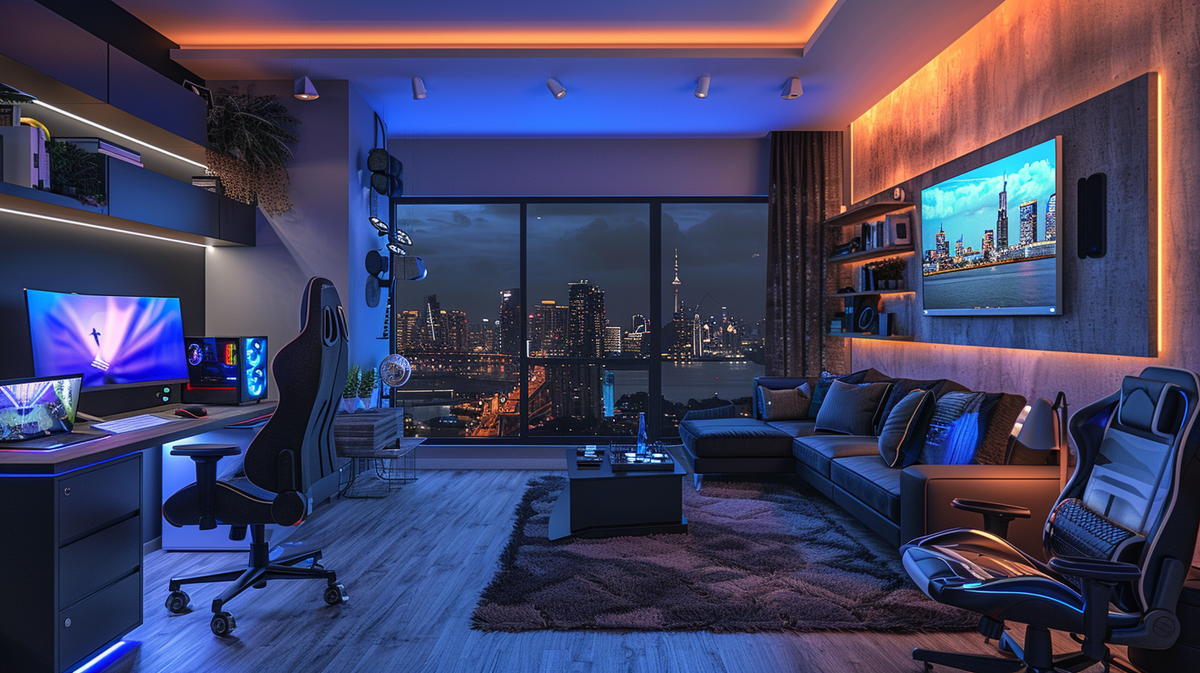
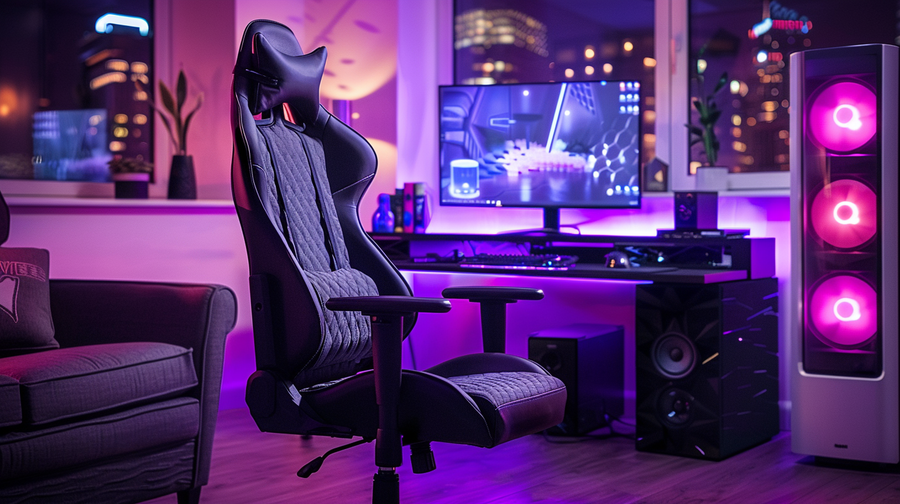
Establishing an ergonomic setup is crucial for maintaining good posture, reducing strain, and preventing potential injuries during long gaming sessions. Start by investing in an adjustable desk that allows you to alternate between sitting and standing positions. An ergonomic chair with lumbar support and adjustable armrests is also essential for proper spinal alignment and comfort.

Position your monitor(s) at eye level, approximately an arm's length away, to avoid neck strain. Consider using a monitor arm or riser to achieve the ideal height and angle. Incorporate a wrist rest to keep your hands and forearms in a neutral position while typing or using your mouse. Additionally, a footrest can help maintain proper posture and alleviate pressure on your legs and back.

Invest in High-Speed Internet

For an optimal online gaming experience, investing in a high-speed internet connection is crucial. Online games, especially multiplayer titles, require a stable and fast internet connection to minimize lag, latency, and other performance issues. Higher speeds not only ensure smoother gameplay but also accommodate other internet activities, such as streaming, video conferencing, or downloading large files.

Additionally, a wired Ethernet connection is preferable over wireless for gaming, as it provides a more stable and reliable connection with lower latency. If a wired connection is not feasible, consider investing in a high-quality router and positioning it strategically to minimize interference and ensure optimal wireless performance.

Utilize Multiple Monitor Setup

For gamers and professionals alike, a multi-monitor setup offers a significant advantage in productivity and immersion. Having multiple displays allows you to seamlessly multitask, keeping your game or primary application on one screen while referencing guides, walkthroughs, or research on the other(s).

To maximize desk space and ergonomics, mount your monitors on adjustable arms or stands. This allows you to position each display at an optimal viewing angle and distance, reducing neck strain and improving overall comfort during extended gaming or work sessions.

Optimize Lighting for Productivity and Ambiance

Proper lighting is crucial for creating a comfortable and productive home office environment, especially for gamers who often spend extended periods in front of screens. A well-lit space can reduce eye strain, improve focus, and enhance the overall ambiance. To achieve this, consider incorporating a combination of ambient, task, and accent lighting.

For gamers who stream or record content, consider investing in smart lighting controls that can be easily adjusted to create the perfect ambiance for your streams or recordings. Additionally, incorporating adjustable lighting options can help reduce glare and shadows, which can be particularly beneficial for those who engage in competitive gaming or content creation.

Incorporate Soundproofing Elements

Soundproofing your home office is crucial for maintaining focus and minimizing distractions during gaming sessions or online meetings. Invest in high-quality acoustic foam panels to absorb sound waves and reduce echoes. Additionally, consider installing sound-dampening curtains or blankets to further insulate the room from external noise.

Isolating your desk from the floor can also help minimize vibrations and noise transfer. Incorporating a white noise machine can mask any remaining ambient sounds, creating a more immersive and focused environment for gaming or work.

Add Personal Touches for Style

To truly make your gaming home office a reflection of your personality and interests, consider incorporating gaming-themed decor elements. Hang up posters or artwork featuring your favorite video game characters or scenes from iconic games. Display collectible figurines or memorabilia from beloved gaming franchises on shelves or a dedicated display case. You can also add motivational quotes or gaming-inspired wall art to inspire you during long gaming sessions.

Proper cable management is essential for maintaining a clean and organized gaming setup. Utilize cable raceways, sleeves, or cable boxes to neatly route and conceal unsightly wires and cords. This not only enhances the visual appeal of your space but also promotes better airflow and accessibility.

Finally, introduce natural elements like plants or greenery to your gaming home office. They can help create a more inviting and refreshing environment, while also providing a much-needed break from the digital world during extended gaming sessions.

タグ: Doris Yeung
前の
Gaming Chairs vs Ergonomic Chairs: Spot the Differences

関連記事

Gaming Chairs vs Ergonomic Chairs: Spot the Differences

Gaming Chairs vs Ergonomic Chairs: Spot the Differences

Unleash-Your-Creativity-How-to-Reupholster-a-Chair OdinLake

Unleash Your Creativity: How to Reupholster a Chair

Categories

  • Ergonomic Chair (159)
  • Healthy Work (29)
  • Standing Desk (26)
  • Workspace (45)
  • Smart Home (3)
  • Sustainable Development (4)
  • Press (4)

Recent Post

What to get mom for Mother's Day
What to get mom for Mother's Day? Practical Gifts She’ll Actually Use
Ergonomic Office Chair for Long Hours
back health
How to Choose the Best Ergonomic Office Chair for Long Hours (2026 Guide)
 Ergonomic Chair
Chairs
What Are Common Ergonomic Chair Mistakes and How Can You Fix Them?

Instagram

Get early access to new ergonomic chairs, restocks, and members-only deals.

Ergonomic chair

  • L1 (Ergo UPGRADE 518)
  • L2 (Ergo PRO 633)
  • O1 (Ergo PLUS 743)
  • O2 (Ergo MAX 747)
  • O3 (Ergo BUTTERFLY 753)
  • Standing Desk
  • Accessories

Support

  • Contact Us
  • Exclusive Discounts
  • Track Your Order
  • Refer A Friend
  • Help Center
  • Assembly Video

About OdinLake

  • Our Story
  • OdinLake Insights
  • Affiliate Program
  • L1 PRO Co-Creation
  • Reviews
  • Videos
  • Carbon Removal
  • Blog

Policy

  • Shipping Policy
  • Return & Refund Policy
  • Terms of Service
  • Privacy Policy
  • Intellectual Property Rights
  • Warranty
© 2026 OdinLake Inc. All Rights Reserved.
アイルランド (EUR €)
アメリカ合衆国 (USD $)
イギリス (EUR €)
イタリア (EUR €)
エストニア (EUR €)
オランダ (EUR €)
オーストリア (EUR €)
クロアチア (EUR €)
スイス (EUR €)
スウェーデン (EUR €)
スペイン (EUR €)
スロバキア (EUR €)
スロベニア (EUR €)
デンマーク (EUR €)
ドイツ (EUR €)
ノルウェー (EUR €)
フランス (EUR €)
ベルギー (EUR €)
ポルトガル (EUR €)
ポーランド (EUR €)
リトアニア (EUR €)
日本 (JPY ¥)
English
Español
日本語
支払いオプション:
  • Ach Direct Debit
  • Amazon
  • American Express
  • Apple Pay
  • Bancontact
  • Diners Club
  • Discover
  • Google Pay
  • iDEAL Wero
  • Mastercard
  • PayPal
  • Shop Pay
  • Venmo
  • Visa

Confirm your age

Are you 18 years old or older?

Come back when you're older

Sorry, the content of this store can't be seen by a younger audience. Come back when you're older.
