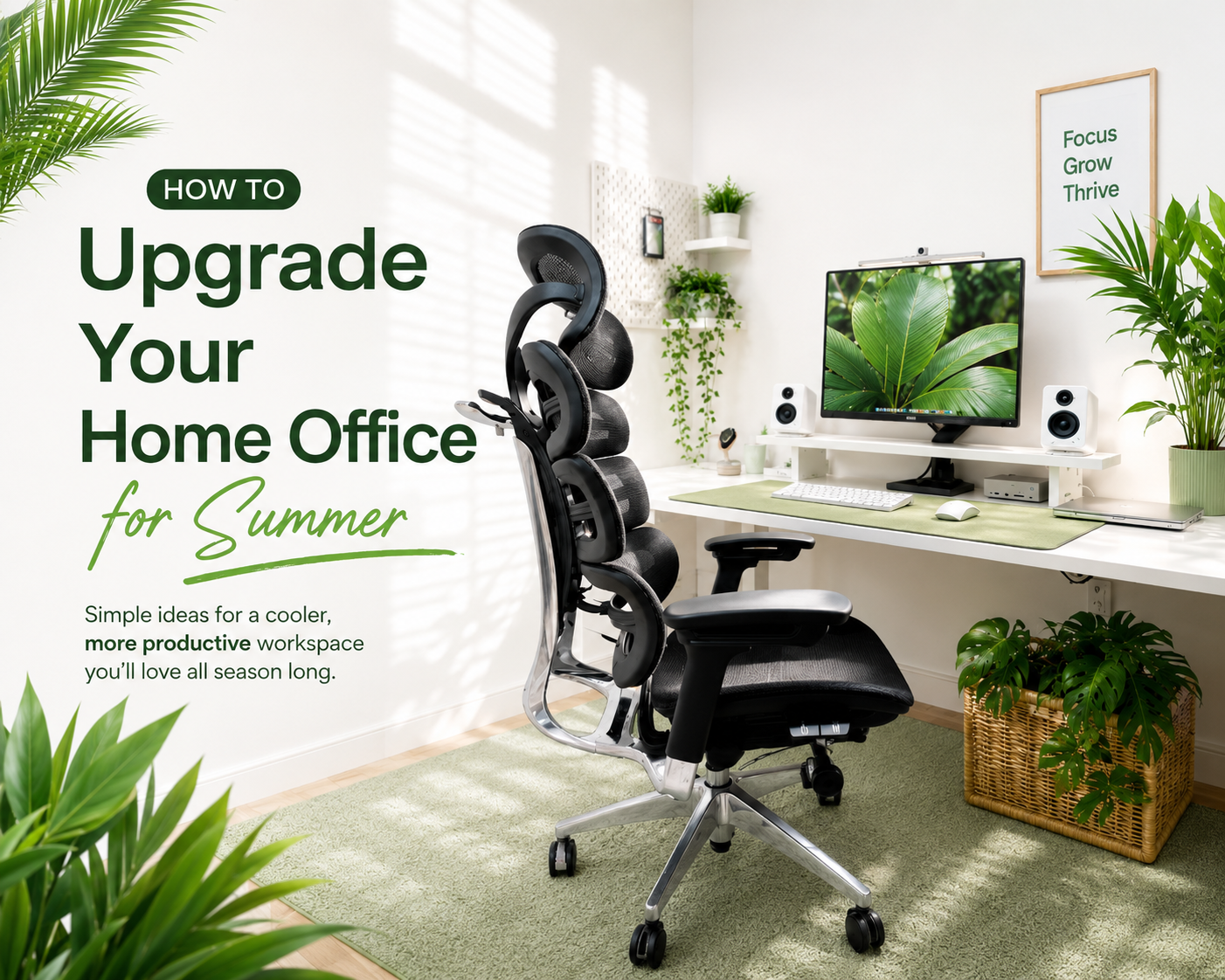
A summer home office upgrade helps reduce heat, improve posture, control screen glare, increase airflow, and make long workdays more comfortable. Start with the areas that affect daily comfort most: breathable office furniture, desk height, airflow, lighting, organization,...
The right ergonomic setup should adapt to your body, support frequent movement, and stay comfortable through a full workday.
A summer home office upgrade helps reduce heat, improve posture, control screen glare, increase airflow, and make long workdays more comfortable.
Start with the areas that affect daily comfort most: breathable office furniture, desk height, airflow, lighting, organization, and healthier work habits.
Summer Home Office Upgrade Checklist
The best summer home office upgrades target the areas that affect comfort most: furniture, desk setup, airflow, lighting, organization, and decor.
|
Area to Upgrade |
Common Summer Problem |
Recommended Solution |
|
Office furniture |
Chair feels hot or uncomfortable |
Choose a breathable ergonomic chair |
|
Desk setup |
Neck, shoulder, or back discomfort |
Adjust chair, desk, and monitor height |
|
Airflow |
Room feels hot or stuffy |
Use a fan, air circulator, or portable AC |
|
Lighting |
Screen glare and eye strain |
Use blinds, curtains, or an anti-glare screen protector |
|
Organization |
Desk feels cluttered |
Use storage tools and cable management |
|
Decor |
Workspace feels heavy or dull |
Add light colors, plants, and natural textures |
How to Upgrade Your Home Office for Summer: Step by Step
To upgrade your home office for summer, start with ergonomic furniture, then adjust your desk setup, improve airflow, reduce glare, organize your workspace, and add light seasonal decor.
Step 1: Upgrade to Comfortable and Breathable Office Furniture
Start with office furniture because your chair and desk affect comfort throughout the entire workday. A poor chair can contribute to back, neck, and shoulder discomfort, especially when the summer heat makes long sitting feel more tiring.
Choose office furniture with:
-
Breathable mesh materials
-
Ergonomic lumbar support
-
Adjustable seat height
-
Stable armrests
-
Comfortable cushioning
-
Support for long work sessions
A breathable mesh office chair, such as the OdinLake O2, is designed for long work sessions, with a breathable mesh structure, a three-section backrest, adjustable lumbar support, and strong ergonomic adjustability. These features make it a practical choice for a summer home office, especially if you want better airflow and full-back support.Step 2: Adjust Your Desk, Chair, and Monitor Height

Set your chair height so your feet rest flat on the floor. Keep your knees at a comfortable angle, and place your keyboard and mouse where your shoulders can stay relaxed.
Keep your monitor at eye level because a low screen can pull your neck forward. Use a monitor stand, laptop stand, footrest, or desk converter if your current setup does not support a neutral posture. A simple option like the OdinLake Monitor Stand can help raise your screen while keeping the desk setup clean and flexible.
Step 3: Improve Airflow and Temperature Control
Good airflow matters in summer because stale air can make a small office feel hotter than it is. Use a fan, air circulator, or portable air conditioner to keep air moving through the room.
Move your desk away from direct sunlight or heat-heavy areas. Use curtains, blinds, or window film to reduce heat during the brightest parts of the day. If the room feels damp, a dehumidifier can help make the space feel more comfortable.
Step 4: Optimize Natural Light and Reduce Screen Glare
Natural light can make a workspace feel brighter, but direct sunlight can increase heat and cause screen glare. Place your desk near natural light, but avoid putting your screen directly in front of or behind a bright window.
Use sheer curtains, adjustable blinds, or an anti-glare screen protector when glare affects visibility. Choose an LED desk lamp if you need extra task lighting, since LED lamps usually produce less heat than many traditional bulbs.
Step 5: Declutter and Organize Your Workspace
A cluttered desk makes it harder to focus. In summer, it can also make a small workspace feel heavier and less breathable.
Remove items you do not use every day. Use drawer organizers, file holders, storage trays, and cable clips to keep your desk clear. Keep only daily essentials within reach. If you want to keep books, decor, or office supplies nearby without crowding your desk, a slim storage piece like the OdinLake Glass Display Cabinet can help the workspace feel cleaner and more organized.
Step 6: Add Summer-Friendly Decor and Greenery
Summer decor should make your office feel lighter, not busier. Choose light colors, natural textures, and simple accents that leave enough open space on your desk.
Indoor plants such as snake plants, pothos, or succulents can add a fresh visual element. Wood, linen, bamboo, and rattan accents can also help create a warmer and more natural workspace without adding clutter.
Create a Healthier Summer Work Routine
A healthier summer work routine reduces heat fatigue, supports posture, protects your eyes, and helps you stay focused during long workdays.
Stay Hydrated Throughout the Workday
Keep a water bottle on your desk. Summer heat can make you feel tired faster, and regular hydration can help support energy and focus.
Take Regular Breaks to Stretch and Move
Long sitting can lead to stiffness. Take short breaks to stretch your shoulders, back, wrists, and legs.
Alternate Between Sitting and Standing
Alternating between sitting and standing can reduce pressure on your back during long workdays. A standing desk or sit-stand desk converter can make posture changes easier.
Avoid Sitting Directly Under Cold Air
Air conditioning can cool the room, but direct cold airflow can feel uncomfortable after long exposure. Place your desk where the air feels steady and moderate.
Keep Your Desk and Office Chair Clean
Heat can make desks, keyboards, and chairs feel less fresh. Wipe down your desk, clean your keyboard, and maintain your chair regularly to keep the workspace comfortable.
Schedule Deep Work During Cooler Hours
Plan demanding tasks during cooler parts of the day when possible. Morning work sessions can be easier to manage if your office heats up in the afternoon.
Reduce Screen Time When Possible
Long screen time can increase eye fatigue, especially when glare is present. Adjust screen brightness, take eye breaks, and step away from the screen during natural pauses in your schedule.
Common Mistakes to Avoid
The most common summer home office mistakes are ignoring heat, glare, airflow, ergonomics, and clutter.
-
Placing your desk in direct sunlight: This can increase heat, cause glare, and make the workspace uncomfortable.
-
Choosing style over ergonomic comfort: A good-looking chair still needs proper support and adjustability.If you want both visual appeal and ergonomic function, the OdinLake O3 can be a good option, as its butterfly-shaped backrest adds a distinctive design element while still supporting daily work comfort.
-
Ignoring airflow and room temperature: Poor airflow can make the room feel stuffy and reduce focus.
-
Using lighting that causes screen glare: Glare can strain your eyes and slow down your work.
-
Letting clutter build up on your desk: A crowded desk makes it harder to focus and easier to feel distracted.
-
Overdecorating your summer workspace: Too many decorative items can make the space feel cramped instead of fresh.
Budget-Friendly Summer Home Office Upgrade Ideas
You can upgrade a summer home office at any budget by matching each purchase to a clear comfort problem.
|
Budget Level |
Upgrade Ideas |
Best For |
|
Low budget |
Cable clips, desk mat, plants, screen cleaner |
Quick workspace refresh |
|
Medium budget |
LED desk lamp, laptop stand, lumbar pillow, and curtains |
Better comfort and focus |
|
Higher budget |
Ergonomic chair, standing desk, portable AC, air purifier |
Long-term comfort and productivity |
OdinLake’s Summer Sale runs from June 1 to June 15, making it a useful time to compare ergonomic chairs and upgrade your summer workspace.

Conclusion
The best way to upgrade a home office for summer is to fix the problems that affect daily work first: heat, poor posture, glare, clutter, and low airflow.
Start with the upgrades that have the biggest impact on comfort. Choose breathable office furniture, adjust your desk setup, improve airflow, reduce screen glare, and keep your workspace organized.
You do not need to change everything at once. Begin with one or two practical upgrades, then build a workspace that feels cooler, cleaner, and easier to work in throughout summer.
FAQ
How do you upgrade your home office setup for summer?
Start with breathable ergonomic furniture, proper desk height, better airflow, reduced screen glare, and a cleaner desk layout. These upgrades address the main summer problems that affect comfort and productivity.
How can I make my home office more comfortable in hot weather?
Use a fan or air circulator, block direct sunlight, choose a breathable office chair, keep your desk clear, and stay hydrated. If the room feels damp, consider using a dehumidifier.
How can I make my home office more productive during the summer?
Create a cooler and more ergonomic workspace. Reduce glare, organize your desk, improve airflow, and schedule deep work during cooler parts of the day.
Is an ergonomic chair worth it for a home office?
Yes, especially if you work long hours at a desk. An ergonomic chair can support better posture and reduce strain when it fits your body and desk setup.
How much does it cost to upgrade a home office setup?
The cost depends on the upgrades you choose. Low-budget changes include cable clips, plants, and desk mats. Mid-range upgrades include lamps, laptop stands, lumbar pillows, and curtains. Higher-budget upgrades include ergonomic chairs, standing desks, portable AC units, and air purifiers. OdinLake’s Summer Sale runs from June 1 to June 15, which can help lower the cost of larger upgrades.