
Why Adjustable Armrests Matter & How to Adjust Them Correctly | OdinLake

OdinLake
Cart 0
  • Meet the New L3
  • Ergonomic Chairs
    • Mesh Office Chair
      • L1 (Ergo UPGRADE 518) | Ergonomic Office Chair
      • O1 (Ergo PLUS 743) | Flex Mesh Ergonomic Chair
      • O2 (Ergo MAX 747) | Three-Section Backrest Ergonomic Chair
      • O3 (Ergo BUTTERFLY 753) | WireControl™ Embedded Armrests Ergonomic Chair
    • Adjustable Office Chair
      • L1 (Ergo UPGRADE 518) | Ergonomic Office Chair
      • L2 (Ergo PRO 633) | Ergonomic Office Chair(Built-in Footrest)
      • O1 (Ergo PLUS 743) | Flex Mesh Ergonomic Chair
      • O2 (Ergo MAX 747) | Three-Section Backrest Ergonomic Chair
      • O3 (Ergo BUTTERFLY 753) | WireControl™ Embedded Armrests Ergonomic Chair
    • Office Chair With Footrest
      • L2 (Ergo PRO 633) | Ergonomic Office Chair(Built-in Footrest)
      • O1 (Ergo PLUS 743) | Flex Mesh Ergonomic Chair
      • O2 (Ergo MAX 747) | Three-Section Backrest Ergonomic Chair
      • O3 (Ergo BUTTERFLY 753) | WireControl™ Embedded Armrests Ergonomic Chair
    • High Back Office Chair
      • O1 (Ergo PLUS 743) | Flex Mesh Ergonomic Chair
      • O2 (Ergo MAX 747) | Three-Section Backrest Ergonomic Chair
      • O3 (Ergo BUTTERFLY 753) | WireControl™ Embedded Armrests Ergonomic Chair
    • All Ergonomic Chair
  • Desks
    • S1 Flip-Top Rear Panel Stand Desk(30"D x 60"W x 45"H)
    • S2 Home Office Standing Desk
    • S3 Home Office L Shaped Standing Desk(63"D x 55"W x 46"H)
    • S4 Home Office L Shaped Standing Desk(75"D x 63"W x 46"H)
  • Accessories
    • Single Monitor Stand (Fits 4.4 to 19.8lbs Monitors)
    • Dual Monitor Stand
    • Glass Display Cabinet
    • Chair's Accessories
    • OdinLake Ergo O Series Footrest
  • Community
    • OdinLake Insights
    • L1PRO Co-Creation
    • Reviews
    • Videos
    • Blogs
    • Affiliate Program
    • Refer A Friend
  • Support
    • Help Center
    • Exclusive Discounts
    • About Us
    • Contact Us
    • Track Your Order
    • Assembly
  • Bulk Order
My Account
Log in Register
OdinLake
  • Meet the New L3
  • Ergonomic Chairs
    • Mesh Office Chair
      • L1 (Ergo UPGRADE 518) | Ergonomic Office Chair
      • O1 (Ergo PLUS 743) | Flex Mesh Ergonomic Chair
      • O2 (Ergo MAX 747) | Three-Section Backrest Ergonomic Chair
      • O3 (Ergo BUTTERFLY 753) | WireControl™ Embedded Armrests Ergonomic Chair
    • Adjustable Office Chair
      • L1 (Ergo UPGRADE 518) | Ergonomic Office Chair
      • L2 (Ergo PRO 633) | Ergonomic Office Chair(Built-in Footrest)
      • O1 (Ergo PLUS 743) | Flex Mesh Ergonomic Chair
      • O2 (Ergo MAX 747) | Three-Section Backrest Ergonomic Chair
      • O3 (Ergo BUTTERFLY 753) | WireControl™ Embedded Armrests Ergonomic Chair
    • Office Chair With Footrest
      • L2 (Ergo PRO 633) | Ergonomic Office Chair(Built-in Footrest)
      • O1 (Ergo PLUS 743) | Flex Mesh Ergonomic Chair
      • O2 (Ergo MAX 747) | Three-Section Backrest Ergonomic Chair
      • O3 (Ergo BUTTERFLY 753) | WireControl™ Embedded Armrests Ergonomic Chair
    • High Back Office Chair
      • O1 (Ergo PLUS 743) | Flex Mesh Ergonomic Chair
      • O2 (Ergo MAX 747) | Three-Section Backrest Ergonomic Chair
      • O3 (Ergo BUTTERFLY 753) | WireControl™ Embedded Armrests Ergonomic Chair
    • All Ergonomic Chair
  • Desks
    • S1 Flip-Top Rear Panel Stand Desk(30"D x 60"W x 45"H)
    • S2 Home Office Standing Desk
    • S3 Home Office L Shaped Standing Desk(63"D x 55"W x 46"H)
    • S4 Home Office L Shaped Standing Desk(75"D x 63"W x 46"H)
  • Accessories
    • Single Monitor Stand (Fits 4.4 to 19.8lbs Monitors)
    • Dual Monitor Stand
    • Glass Display Cabinet
    • Chair's Accessories
    • OdinLake Ergo O Series Footrest
  • Community
    • OdinLake Insights
    • L1PRO Co-Creation
    • Reviews
    • Videos
    • Blogs
    • Affiliate Program
    • Refer A Friend
  • Support
    • Help Center
    • Exclusive Discounts
    • About Us
    • Contact Us
    • Track Your Order
    • Assembly
  • Bulk Order
Account Cart 0

Search our store

OdinLake
Account Cart 0
Popular Searches:
OdinLake 518 OdinLake 743 OdinLake 633
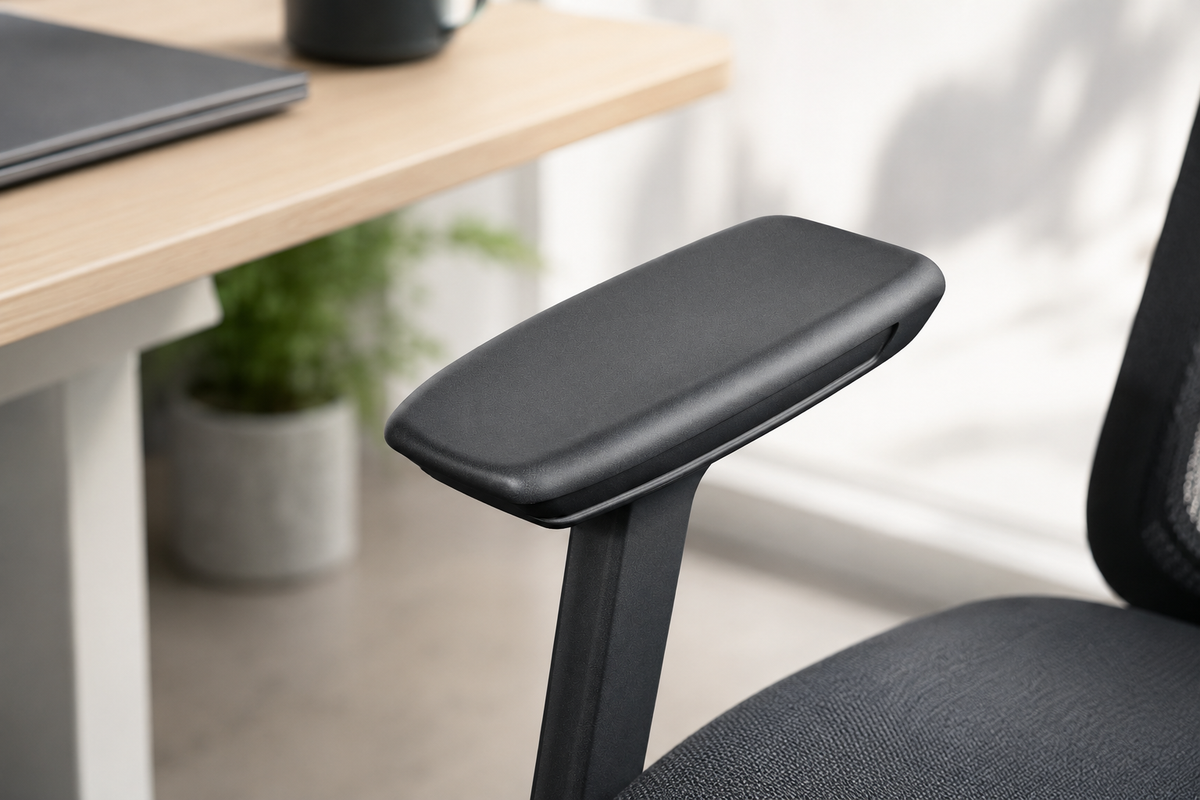
Person sitting in an ergonomic chair with properly adjusted armrests supporting their forearms at desk
OdinLake Insight

Why Adjustable Armrests Matter, and How to Adjust Them Correctly

by Seona zhang on Aug 21, 2026

Why Armrests Matter

According to the Occupational Safety and Health Administration (OSHA), remaining in the same posture for prolonged periods can place stress on muscles, nerves, blood vessels, ligaments, and tendons. Poor workstation ergonomics can contribute to fatigue, discomfort, and repetitive strain injuries over time.

For many people, spending hours typing and using a mouse puts ongoing stress on the wrists, forearms, shoulders, and neck. Without proper arm support, the shoulders often stay raised, while the wrists take on more pressure. This can increase the chance of muscle tightness, wrist pain, and injuries from repeated motions.

This is why adjustable armrests are an essential part of an ergonomic chair. While lumbar support often gets the most attention, properly adjusted armrests help support the weight of your arms, reduce unnecessary muscle strain, and may lower the risk of developing work-related musculoskeletal disorders (MSDs).

To address these challenges, ergonomic researchers developed the Mouse With Your Arm™ (MWYA) methodology. Rather than relying only on the wrist, MWYA encourages users to support the entire forearm while using a mouse. One of its core principles is to use properly adjusted armrests to distribute the weight of the arms, helping the shoulders stay relaxed and the wrists remain in a neutral position.

How to Adjust Your Armrests Correctly

  1. Adjust the Height First

    Start by setting the armrest height. Your shoulders should stay relaxed while your elbows rest comfortably at about a 90° angle. Your forearms should be parallel to the floor, with your wrists in a neutral position.

  2. Support Your Forearms, Not Just Your Elbows

    Many people place only their elbows on the armrests, leaving the rest of the forearm unsupported. Instead, let the armrests support most of your forearms. This helps spread the weight of the arms more evenly and reduces strain on the shoulders, elbows, and wrists.

  3. Keep Your Wrists Neutral

    Your wrists should remain as straight as possible while typing or using a mouse. Avoid bending them upward, downward, or sideways. If needed, adjust the armrest height, depth, or angle so your forearms and wrists stay aligned.

  4. Adjust the Width to Fit Your Body

    Position the armrests close enough to keep your elbows comfortably by your sides, without squeezing your torso. This helps your shoulders stay relaxed and prevents unnecessary reaching while working.

  5. Let Your Hands Move Naturally

    Your hands should glide freely across the keyboard and mouse rather than supporting the weight of your arms. When your forearms are properly supported, your fingers can move with less effort, helping reduce fatigue during long hours at your desk.

Final Thoughts

Adjustable armrests are not just an extra feature, but an essential part of an ergonomic workspace. When set up correctly, they support the forearms, relax the shoulders, and keep the wrists in a natural, neutral position. This helps ease muscle fatigue from long hours of work. However, even the best armrests can't replace regular movement. Be sure to stand up and move around throughout the day. When ergonomic support and healthy habits work together, you can stay more comfortable, work more efficiently, and better protect your body in the long run.
Tags: team
Previous
Small Home Office Setup: How to Work Comfortably in a Small Space

Related Articles

Small Home Office Setup: How to Work Comfortably in a Small Space

Small Home Office Setup: How to Work Comfortably in a Small Space

Bridging the Ecommerce Conversion Gap: Turning Viral Hype into High-Margin Revenue

Bridging the Ecommerce Conversion Gap: Turning Viral Hype into High-Margin Revenue

When a Missed Message Becomes a Trust Problem

When a Missed Message Becomes a Trust Problem

Categories

  • Ergonomic Chair (175)
  • Everything About Chair (3)
  • Healthy Work (29)
  • Standing Desk (28)
  • Workspace (47)
  • Smart Home (3)
  • Sustainable Development (4)
  • Press (4)

Recent Post

Black OdinLake office chair with armrests in front of a home-office desk
Armrests
Should an Office Chair Have Armrests? A Practical Guide
OdinLake O2 office chair with its gas-lift column and five-star base visible
Chair Maintenance
Can an Office Chair Explode? Gas-Lift Safety Explained
Black OdinLake twin-wheel office chair casters shown from the front and side
Chair Care
How to Clean Office Chair Wheels Without Taking Them Apart

Instagram

Get early access to new ergonomic chairs, restocks, and members-only deals.

Ergonomic chair

  • L1 (Ergo UPGRADE 518)
  • L2 (Ergo PRO 633)
  • O1 (Ergo PLUS 743)
  • O2 (Ergo MAX 747)
  • O3 (Ergo BUTTERFLY 753)
  • Standing Desk
  • Accessories

Support

  • Contact Us
  • Exclusive Discounts
  • Track Your Order
  • Refer A Friend
  • Help Center
  • Assembly Video

About OdinLake

  • Our Story
  • OdinCare
  • OdinLake Insights
  • L1 PRO Co-Creation
  • Videos
  • Carbon Removal

Policy

  • Shipping Policy
  • Return & Refund Policy
  • Terms of Service
  • Privacy Policy
  • Intellectual Property Rights
  • Warranty
© 2026 OdinLake Inc. All Rights Reserved.
Austria (EUR €)
Belgium (EUR €)
Croatia (EUR €)
Denmark (EUR €)
Estonia (EUR €)
France (EUR €)
Germany (EUR €)
Ireland (EUR €)
Italy (EUR €)
Japan (JPY ¥)
Lithuania (EUR €)
Netherlands (EUR €)
Norway (EUR €)
Poland (EUR €)
Portugal (EUR €)
Slovakia (EUR €)
Slovenia (EUR €)
Spain (EUR €)
Sweden (EUR €)
Switzerland (EUR €)
United Kingdom (EUR €)
United States (USD $)
English
Español
日本語
Payment options:
  • Ach Direct Debit
  • Amazon
  • American Express
  • Apple Pay
  • Bancontact
  • Diners Club
  • Discover
  • Google Pay
  • iDEAL Wero
  • Mastercard
  • PayPal
  • Shop Pay
  • Venmo
  • Visa

Confirm your age

Are you 18 years old or older?

Come back when you're older

Sorry, the content of this store can't be seen by a younger audience. Come back when you're older.
