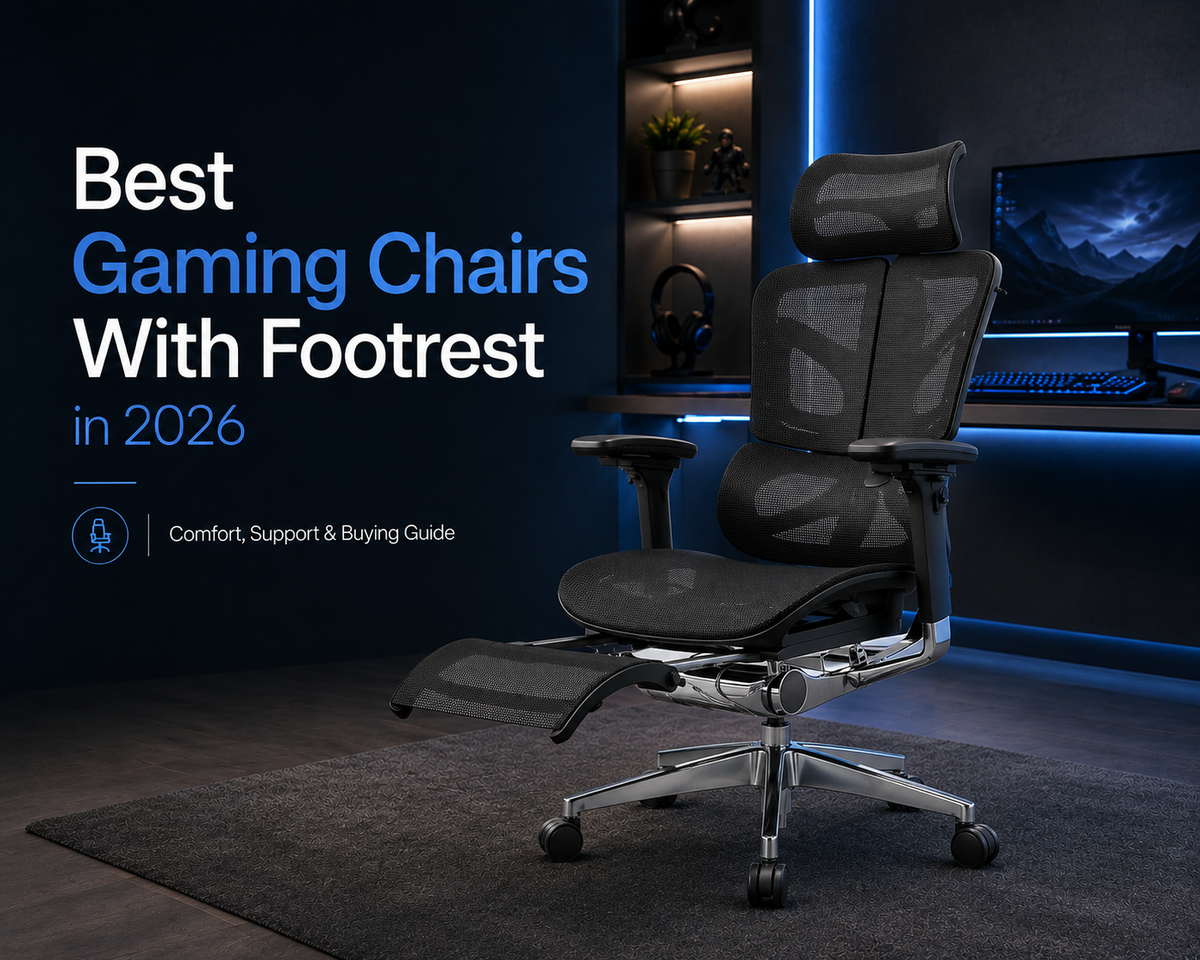
Looking for a gaming chair with a footrest? This 2026 guide explains the key features to consider, including seat fit, lumbar support, recline, armrests, materials, and footrest design. It also compares OdinLake O2, O3, L2, and L3 FlexBreath® for different gaming styles and comfort needs.
The right ergonomic setup should adapt to your body, support frequent movement, and stay comfortable through a full workday.
For many players, one gaming session can involve several different positions. Fast-paced matches often mean sitting upright and close to the desk, while controller games, cutscenes, or queue times make a more relaxed position feel natural. A well-designed gaming chair with a footrest should support those changes without sacrificing back support, stability, or leg comfort.
Quick Answer: What Is the Best Gaming Chair With a Footrest?
The best gaming chair with a footrest should fit your body well and stay supportive in both upright and reclined positions. Pay attention to seat depth, lumbar support, armrest adjustment, and how far the footrest extends.
For longer gaming sessions, prioritize overall fit and support over recline angle alone. A well-designed chair should let you change positions comfortably without losing back support or leg stability.
Benefits of Using a Gaming Chair With Footrest
A gaming chair with a footrest can add leg support and more flexibility during longer sessions, especially when you alternate between active play and short periods of rest.
Better Leg Support When Reclining
When you lean back, keeping both feet on the floor may feel less natural. A properly positioned footrest supports the lower legs and makes reclined gaming more comfortable, while this office chair with footrest buying guide explains how different footrest designs work for longer sitting sessions.
Easier Position Changes
Gaming posture changes throughout a session. You may sit upright during competitive play, then lean back with a controller. A footrest makes those transitions easier without constantly readjusting the chair.
Better Comfort During Gaming Breaks
Matchmaking queues, downloads, and cutscenes are often spent sitting in the same chair. A footrest gives your legs a supported resting position during these short breaks. For example, while waiting several minutes for friends to join a match, you can lean back and rest your legs without leaving the gaming setup.
Key Features to Look for in a Gaming Chair With Footrest
A gaming chair should accommodate movement rather than hold you in one fixed posture. Seat fit, back support, recline control, and footrest design are more important than appearance alone.

Proper Seat Size and Fit
Long gaming sessions require a stable but flexible sitting position. The seat should leave room to lean forward, sit upright, or recline without feeling cramped.
Before buying, check:
- Seat width for comfortable hip and leg movement
- Seat depth for proper thigh support
- Height range that matches your desk setup
- Weight capacity for safe, stable use
- Footrest extension, especially for taller players
A good fit should give you enough support without limiting the way you naturally move during a game.
Adjustable Lumbar and Back Support
Your back does not stay in the same position throughout a game. Adjustable or dynamic lumbar support should stay in contact with the lower back as you move between upright and reclined positions without creating a hard pressure point. Before buying, check whether the lumbar height or support level can be adjusted to better match your body.
Adjustable Recline and Armrests
Different control methods place the upper body differently. Mouse users often sit closer to the desk, while controller players can sit farther back. Look for a recline that stays stable as you change positions and armrests that can align with your desk without lifting the shoulders. For controller gaming, enough armrest width and adjustment can also help support the elbows in a more relaxed position.
Stable and Retractable Footrest
Footrest stability becomes important once you lean back, and comparing different office chairs with footrests can help you see how built-in and optional designs differ. A useful design should extend securely, support the lower legs, and retract easily when active gaming resumes. During a five-minute matchmaking wait, for example, you should be able to extend it quickly and store it again without rearranging the chair.
Breathable and Durable Materials
Heat buildup becomes more noticeable during multi-hour gaming sessions, and many of the same material and support considerations also apply when choosing a chair for long hours. Mesh and breathable fabric can improve airflow, while durable upholstery, a sturdy frame, and reliable mechanisms are better suited to frequent reclining and repositioning.
Best Gaming Chairs With Footrest in 2026
Different gaming setups need different support. Choose based on whether you value long-session comfort, reclining, a built-in footrest, or dynamic back support.
Best for Long Gaming Sessions
For extended gaming, consistent back support and seat adjustability matter most. The OdinLake O2 combines a three-section backrest, adjustable lumbar support, and seat-depth adjustment to support different sitting positions over longer sessions. Add the optional footrest, and it also works well for reclining between matches or during slower gameplay.
Best for Reclining and Relaxing
If you often switch between upright and relaxed gaming, convenient controls make those transitions easier. The OdinLake O3 places height and recline controls near the armrests and combines them with dynamic lumbar support, making it well suited to controller gaming, streaming, and short breaks.
Best for an Integrated Footrest Setup
For players who want an all-in-one setup, the OdinLake L2 stands out with a retractable footrest stored beneath the seat. Its 90°–135° recline and seat-depth adjustment make it easy to move from upright keyboard-and-mouse gaming to a more relaxed controller position without adding a separate footrest.
Best for Dynamic Back Support
Gaming often means moving between forward-leaning, upright, and reclined positions. The OdinLake L3 FlexBreath® uses an Auto-Tracking Backrest that moves with the lower back, helping maintain support as your posture changes. Breathable FlexBreath® mesh and multiple recline positions also make it better suited to longer gaming sessions.
Gaming Chair With Footrest Comparison
The OdinLake models below differ mainly in footrest design, back support, and how each chair handles differentq gaming positions.
|
Model |
Best For |
Footrest |
Lumbar Support |
Back-to-School Sale Price |
|
OdinLake O2 |
Long Gaming Sessions |
Optional footrest |
Dynamic lumbar + 5-level backrest adjustment |
$799 |
|
OdinLake O3 |
Reclining & Relaxing |
Optional footrest |
Dynamic lumbar support |
$879 |
|
OdinLake L2 |
Built-In Footrest |
Built-in retractable footrest |
Ergonomic lumbar support |
$319 |
|
OdinLake L3 FlexBreath® |
Dynamic Back Support |
Optional footrest |
Auto-tracking backrest that moves with the lower back |
$339 |
Note: All prices shown above are for configurations that include a footrest.
From August 1–30, OdinLake is also offering an extra 5% off during its Back-to-School promotion, which can make upgrading a gaming or study setup more budget-friendly.

How to Adjust a Gaming Chair With Footrest for Better Support
Start with the chair in an upright position and adjust the footrest last. If you need more detail on seat height, seat depth, lumbar support, and armrests, this ergonomic chair adjustment guide covers the full setup process.
Set the Right Seat Height
Set the seat height so your feet rest securely on the floor and your knees remain comfortably bent. At the desk, your forearms should reach the keyboard and mouse without forcing the shoulders upward. If that position is difficult to achieve, check the desk height as well as the chair height.
Adjust the Lumbar Support
Position lumbar support around the natural inward curve of your lower back. It should maintain contact without pushing you noticeably forward.
Position the Armrests
Set the armrests so your forearms are supported without raising your shoulders. Mouse users may need a different position from controller users, so readjust them when your activity changes.
Set the Recline Angle
Use moderate recline for normal gaming and deeper recline mainly for relaxed activities. Stability and back contact matter more than reaching the chair's maximum angle.
Adjust the Footrest Position
Extend the footrest after setting a comfortable recline angle. Your lower legs should rest naturally without pressure behind the knees. If you have to slide toward the front of the seat to reach the footrest, its extension may be too short for your leg length.
Mistakes to Avoid When Choosing a Gaming Chair
Most buying mistakes come from prioritizing individual specifications instead of overall fit.
Ignoring Seat Fit
Even a highly adjustable chair can feel uncomfortable if the basic dimensions are wrong. A seat that is too deep may encourage you to slide forward, while an incorrect height range can leave your feet unsupported during active gaming.
Relying Too Much on the Footrest
A footrest improves comfort when reclining, but it cannot compensate for poor lumbar support or incorrect seat dimensions. Treat it as a supporting feature rather than the main reason to choose a chair.
Choosing the Wrong Footrest Size
Footrest size should match your leg length and preferred reclined position. If it is too short, taller users may receive little calf support; if it sits too close to the seat, the legs can feel cramped.
Prioritizing Recline Angle Over Stability
A deeper recline is not always better. A controlled 135° recline with solid back support and smooth resistance can be more practical than a larger angle that feels unstable or causes you to slide forward.
Focusing Only on Specifications
Numbers alone do not show how a chair will feel in daily use. Compare seat dimensions, adjustment range, footrest design, and recline with your height, desk setup, gaming style, and typical session length.
Conclusion
A good gaming chair with footrest should do more than support reclining. The best option fits your body, supports different gaming positions, and stays comfortable through longer sessions. Prioritize seat fit, lumbar support, recline control, and footrest stability, then choose the model that best matches how you actually play.
FAQs
What's the difference between a slide-out and a retractable footrest?
A slide-out footrest usually pulls straight from beneath the seat, while a retractable design may fold or extend through a built-in mechanism. In practice, stability, extension length, and ease of storage matter more than the label.
What weight capacity should a footrest gaming chair have?
Choose a chair with a weight capacity comfortably above the user's body weight. Also check whether the footrest has its own usage limits, since it may not be designed to support full body weight.
Is fabric or PU leather better on a footrest chair?
Fabric is usually more breathable, while PU leather is easier to wipe clean. Since it is summer, fabric is the better choice for longer gaming sessions because it allows more airflow and is less likely to feel hot or sticky after hours of use.
Is a gaming chair with a footrest good for your posture?
A footrest can make it easier to change position when you start feeling tired during a long gaming session. For example, after sitting upright for a few matches, reclining and supporting your legs can provide a more relaxed posture. However, the footrest alone does not improve posture. Proper seat fit, lumbar support, armrest height, and regular movement still matter more.
How can you tell if a gaming chair footrest fits properly?
A well-fitted footrest should support your lower legs without forcing you to slide forward or bend your knees too sharply. If reaching it feels awkward, the extension length or position may not suit your leg length.