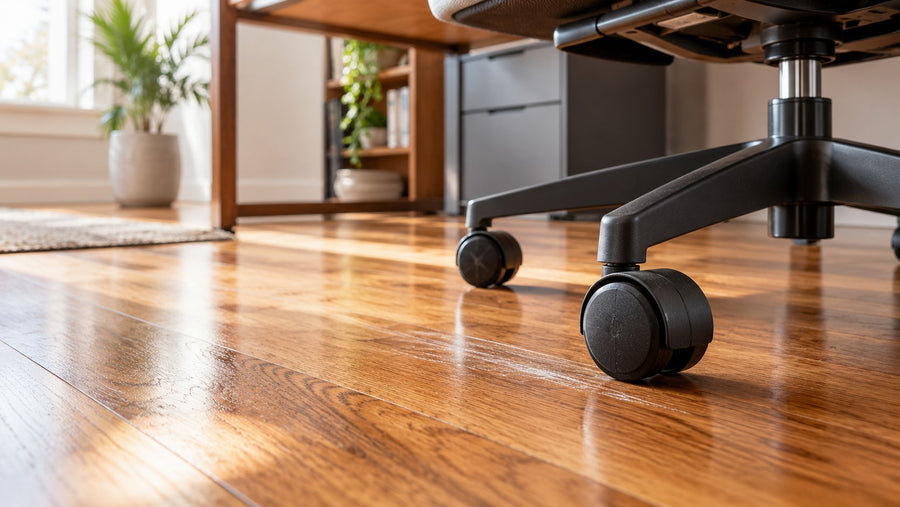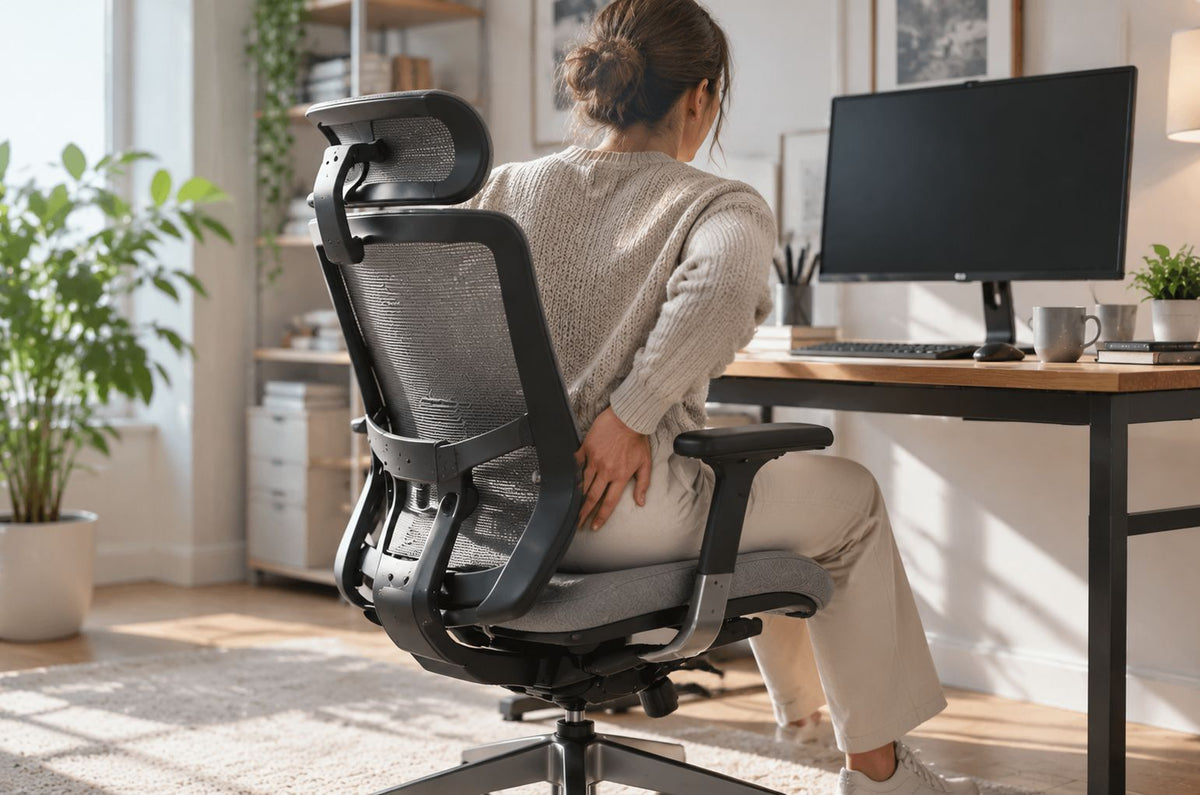
The right ergonomic setup should adapt to your body, support frequent movement, and stay comfortable through a full workday.
An office chair can make the tailbone area feel worse when the rear of the seat creates concentrated contact, the seat surface has collapsed or become uneven, or the chair and desk settings keep you sliding, perching, or leaning away from the backrest. That makes the chair a possible aggravating factor, not a diagnosis. Tailbone pain can also follow a fall, pregnancy or childbirth, prolonged strain, or another condition that changing a chair cannot identify.
Start by locating the discomfort, inspecting the empty chair, and restoring a stable seated setup. Then compare one reversible change at a time without sitting through increasing pain. If symptoms began after an injury, affect daily activities, persist, or include concerning changes such as weakness, numbness, swelling, skin drainage, or bowel or bladder trouble, stop treating this as a furniture-only problem and seek appropriate medical care.
This guide helps you investigate whether an office-chair contact or fit problem is contributing. It does not determine the medical cause of coccyx pain or promise that a different chair will resolve it.
First confirm that you mean the tailbone area
The coccyx, commonly called the tailbone, is at the base of the spine near the top of the buttocks. The NHS overview of tailbone pain describes pain or tenderness in that area and notes that it can feel worse while sitting or during the change from sitting to standing. Discomfort higher in the lumbar region, at one side of the hip, or down a leg may be a different problem even when it is first described as “tailbone pain.”
Record what you can observe before changing the chair:
- the exact location you can point to with one finger;
- whether the discomfort was present before you sat down;
- whether it appears on contact, builds while sitting, or is strongest when standing up;
- whether it occurs in one chair, several chairs, a car seat, or any seated position;
- whether there was a recent fall, impact, pregnancy or childbirth, procedure, skin problem, or unexplained change;
- which task, chair setting, and approximate sitting period preceded the change.
This record cannot diagnose the cause. It can prevent a common mistake: replacing parts or buying a new chair before you know whether the pattern is chair-specific.
| What you observe | What it helps you distinguish | Next step |
|---|---|---|
| One precise rear-seat contact point feels worse in one chair | The surface, shape, or current setting deserves inspection | Inspect the empty seat, then run a brief fit check |
| The same pain occurs across different seats or away from the desk | The pattern is not specific to one office chair | Do not keep swapping chair parts; discuss persistent symptoms with a healthcare professional |
| Pain began after a fall or other impact | An injury history matters more than a furniture experiment | Avoid provocative testing and seek medical guidance |
| The discomfort is higher in the lower back | The primary task may be lumbar and workstation fit | Use the separate lower-back sitting setup guide |
Inspect the empty chair before changing your posture
Remove bags, clothing, cords, crumbs, detached hardware, and anything else on or under the seat. With no one sitting in the chair, look and feel for an obvious local contact source. Do not remove upholstery, open the mechanism, or loosen load-bearing parts for this check.
- Rear seat surface: Look for a hard seam, exposed frame, sharp transition, torn upholstery, raised fastener, or debris where your pelvis normally rests.
- Support consistency: Press the seat lightly in several comparable places. A visible collapse, broken suspension, detached panel, or pronounced one-sided difference is a product-condition issue, not something to hide under another cushion.
- Seat attachment: Check for visible looseness between the seat pan and mechanism without tipping, loading, or disassembling the chair.
- Chair behavior: An unexpected drop, uncontrolled tilt, severe wobble, crack, bent part, or hard mechanical noise is a stop-use signal.
- Current setup: Note the seat height, depth, backrest or recline setting, lumbar setting, armrest position, and any add-on cushion before changing them.
If the seat or another load-bearing part is visibly damaged, stop using the chair and follow the exact model’s support or warranty route. A soft pad cannot make a cracked, loose, or failed structure safe.
Restore a stable chair-to-desk fit
A chair should support the person, workstation, and task together. The Canadian Centre for Occupational Health and Safety chair guidance recommends a seat height that permits foot support without underside-thigh pressure, enough seat depth to use the backrest without pressure behind the knees, a width that distributes pressure comfortably, and a stable base. Use those relationships as adjustable starting conditions, not as a claim that one posture treats tailbone pain.
Set height for stable feet and supported thighs
Lower or raise the seat using the control identified in the manual for your exact chair. Aim for both feet to rest on the floor or on a stable footrest, with the thighs supported and no concentrated pressure at the seat edge. If the desk forces the chair so high that your feet hang, solve the desk-input relationship with a suitable keyboard tray, adjustable work surface, or stable foot support instead of balancing on the chair base.
After changing the height, recheck the point where the rear of the seat contacts you. If you need a model-independent refresher, follow OdinLake’s guide to adjusting office-chair height, then return to this localized contact check.
Set depth so the backrest is usable
If your chair has documented seat-depth adjustment, move the seat according to its manual until you can use the backrest while keeping the area behind the knees clear. A seat that is too deep for the user can encourage sliding forward or abandoning the backrest; a seat that is too shallow may provide less thigh support. Neither observation proves the cause of pain, but both are fit problems worth correcting.
Do not extend a sliding seat beyond its documented range, reverse the seat pan, or add improvised spacers. If the chair has no depth control and you cannot use the backrest without another fit problem, record that mismatch for the replacement decision.
Use only documented backrest and tilt controls
Start from a stable, supported position you can enter and leave easily. Adjust recline or tilt only through the controls described for your model. A small setting change may alter where the seat and backrest share contact, but the useful result is individual and must be observed; “more recline” and “sit perfectly upright” are not universal fixes.
Keep your feet supported as the backrest moves, and make sure the chair returns and locks as documented. For control identification and normal behavior, use the separate guide to office-chair tilt and recline. Stop if the chair releases unexpectedly, binds, tilts unevenly, or conflicts with the manual.
Bring the work to the supported position
Place the keyboard and pointing device close enough that you do not have to perch at the front edge for routine work. Make the screen readable without repeatedly leaning toward it. Armrests should not block you from approaching the desk or force your shoulders upward. This step matters because a chair setting cannot remain useful when the workstation immediately pulls you out of it.
Use a comparison that does not require pushing through pain
Only run this check when symptoms are mild enough for ordinary sitting, no recent injury or concerning symptom is present, and the chair is structurally sound. The purpose is to reduce uncertainty, not to reproduce severe pain.
- Set a baseline. Use the restored height, depth, backrest, and desk relationship. Note the exact contact point and how you feel before sitting.
- Perform one normal task briefly. Stop at the first meaningful increase in discomfort; do not wait for a target number of minutes.
- Record the observation. Note whether the change began on contact, accumulated, or appeared while standing up. Record the setting and task rather than relying on memory.
- Change one reversible variable. Examples include a documented seat-depth position, a modest supported recline setting, or a closer keyboard position. Do not change several controls at once.
- Repeat only if symptoms returned to baseline. Use the same task and stop condition. If symptoms remain elevated, end the chair check.
- Compare patterns. A repeatable difference identifies a setting or surface to investigate; it still does not diagnose the tissue or medical cause.
| Comparison result | Reasonable interpretation | Do next |
|---|---|---|
| One documented adjustment reduces the local contact without creating another mismatch | The prior setting may have contributed | Keep the reversible setting and recheck it during normal work |
| A surface defect aligns with the painful contact point | The seat condition needs product support | Stop using the damaged seat and document the defect |
| Every reasonable setting produces the same problem | The chair may not fit, or the symptom may not be chair-specific | End the adjustment loop; compare a suitable alternate chair or seek medical guidance |
| Pain becomes sharper, spreads, or remains after the check | Continuing the test adds risk without useful information | Stop and obtain appropriate healthcare advice |
A coccyx cushion is an option, not proof of the cause
The NHS lists a purpose-designed coccyx cushion as one self-care option, and the Hospital for Special Surgery tailbone-pain guidance describes a supportive cushioned seat and a wedge cushion with a coccyx cutout as possible ways to reduce contact in the area. That is not a reason to buy the thickest or softest pad, and it does not make a chair medically appropriate for every person.
If you try a cushion, follow its instructions and treat it as a change to the entire chair fit:
- Confirm that the cushion fits fully on the seat and does not cover controls.
- Make sure it stays flat and does not slide, rock, fold, or extend over an unsupported edge.
- Recheck seat height, foot support, knee clearance, backrest contact, armrest height, and desk access.
- Verify that the cushion does not push you so far forward that the backrest becomes unusable.
- Stop if the cushion increases pressure, instability, heat, numbness, or difficulty getting in and out.
Do not stack pillows, foam scraps, or multiple wedges to chase a shape. Softness can mask a hard contact briefly while creating a new height, depth, or stability problem. If a clinician has given you individualized seating instructions, follow those over general furniture guidance.
Decide whether to adjust, repair, replace, or seek care
| Situation | Best owner of the next step | Decision |
|---|---|---|
| A documented setting resolves the contact and the chair remains stable | You and the model manual | Keep the setting, vary position during the day, and monitor without forcing a fixed posture |
| The seat is torn, collapsed, loose, uneven, or exposes a hard part | Manufacturer or authorized product support | Stop using the damaged chair; request a model-specific inspection, repair, or warranty decision |
| The chair cannot support your feet, thighs, back, and desk access at the same time | Fit comparison | Document the failed ranges and compare another chair using those exact fields |
| A suitable cushion changes the contact but breaks the rest of the setup | Chair-fit or clinical guidance | Do not keep the partial fix; choose a compatible setup or ask for individualized advice |
| Pain persists for weeks, affects daily activities, follows an injury, or is not specific to one chair | Healthcare professional | Seek medical assessment rather than continuing to tune or replace furniture by trial and error |
| Weakness, numbness or tingling in the legs; sudden increase in pain or swelling; skin changes or drainage; or bladder or bowel difficulty | Prompt medical care | Stop the chair test and follow urgent local medical guidance |
HSS lists the symptoms in the final row as reasons to contact a doctor immediately. The NHS also advises getting medical help when tailbone pain does not improve after a few weeks, affects daily activities, or occurs with a high temperature and pain elsewhere. Those boundaries matter more than proving whether the chair was the original cause.
Prepare useful evidence before support or a replacement decision
For a product question, collect the chair brand, exact model and version, order or serial information, age, photos of the empty seat from above and the side, any visible damage, the settings tested, whether an add-on cushion was present, and the specific result of each reversible change. Send that record through the manufacturer’s model-specific channel. OdinLake owners can use OdinLake customer support; do not assume that a generic replacement seat or cushion is compatible.
For a healthcare visit, bring the symptom record rather than a chair diagnosis: exact location, onset, injury or childbirth history, activities that change it, whether sitting-to-standing is involved, and whether the pattern occurs across seats. A clear record helps the appropriate professional evaluate the person while the chair record helps product support evaluate the furniture.
The practical endpoint is not “prove the chair caused it.” It is to leave the loop with one defensible next action: keep a verified setting, stop using a damaged seat, compare a clearly documented fit mismatch, or obtain medical care for a symptom that furniture cannot explain.
Frequently Asked Questions
Can a hard office chair cause tailbone pain?
A hard or locally raised contact can aggravate the tailbone area for some people, especially when the discomfort aligns with one point on the seat. That observation does not prove the chair caused a medical condition. Inspect the empty seat, restore the fit, and stop testing if pain increases or follows an injury.
Is a very soft office chair better for tailbone pain?
Not automatically. HSS recommends a supportive, cushioned seat but cautions that a seat can be too soft. A surface that feels plush may still collapse unevenly, change your working height, or make the backrest difficult to use, so judge the whole fit rather than softness alone.
Can I put a coccyx cushion on an office chair?
Yes, a purpose-designed cushion is one option mentioned by the NHS and HSS, provided it fits the seat and remains stable. Recheck foot support, seat depth, backrest contact, armrests, and desk height after adding it. Stop if it slides, rocks, creates a new pressure point, or makes transfers harder.
How should I adjust an office chair when my tailbone hurts?
Begin with stable feet, supported thighs, enough seat depth to use the backrest without pressure behind the knees, and a documented backrest setting that feels broadly supportive. Bring the keyboard and mouse close enough to avoid perching. Change one reversible setting at a time and do not sit through increasing pain.
Should I buy a new office chair if my tailbone hurts?
Not before you identify a repeatable chair-specific failure. Replacement is more defensible when the seat is damaged or when no documented setting can provide foot, thigh, back, and desk support together. Pain that occurs across seats, persists, or follows an injury needs healthcare evaluation rather than another blind purchase.
When should tailbone pain be checked by a healthcare professional?
Seek medical guidance when the pain follows an injury, persists for weeks, affects daily activities, or concerns you. Get prompt help for weakness, numbness or tingling in the legs, sudden worsening or swelling, skin changes or drainage, or bladder or bowel difficulty. Do not continue a chair test while those symptoms are present.