A task-based method for deciding whether a balance board adds useful movement or creates a stability, height, transition, or workflow problem.
The right ergonomic setup should adapt to your body, support frequent movement, and stay comfortable through a full workday.
A balance board can be useful at a standing desk when you can use an unstable surface safely and your work tolerates continuous small movements. It is optional, not an ergonomic requirement. Keep one only if a real-work trial shows that you can step on and off predictably, keep the desk at a usable height, work without bracing on the furniture, and maintain the control your task requires.
The direct desk-work evidence is limited and short-term. It supports a cautious trial, not claims that a board will correct posture, build core strength, relieve pain, produce meaningful weight loss, or make everyone more productive. The practical question is narrower: does this particular board add welcome movement without turning ordinary desk work into a balance problem?
A balance board changes the task, not just the floor
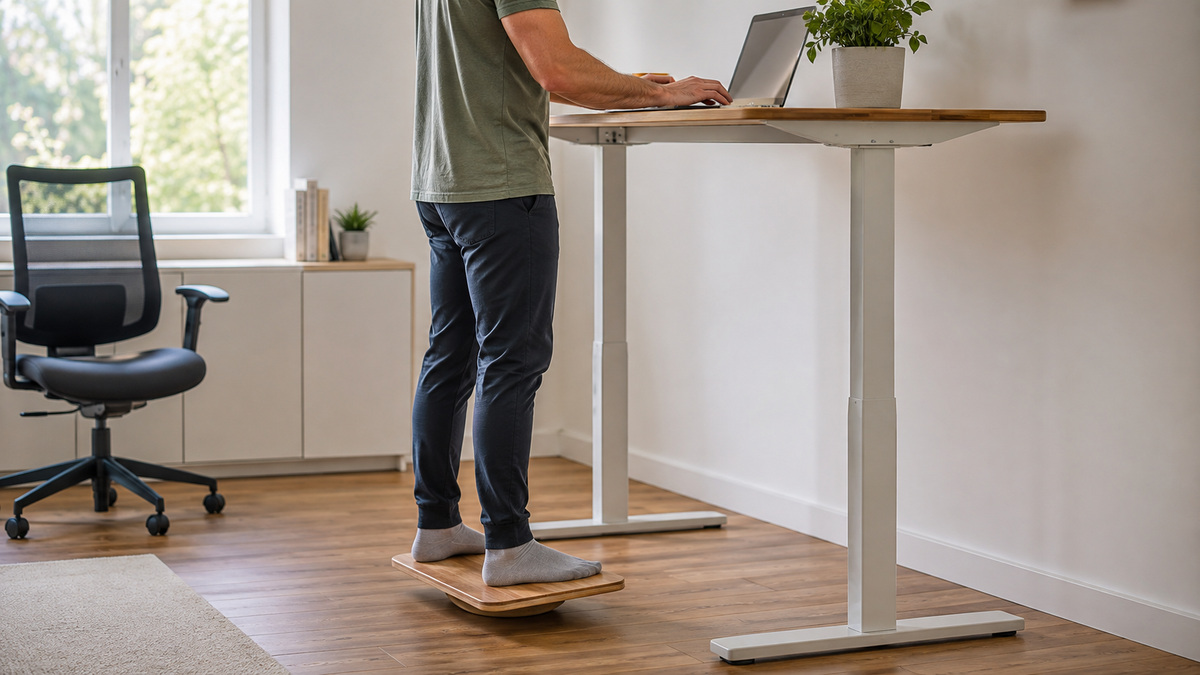
A flat floor asks you to manage a stable standing position. A balance board introduces motion under both feet, so the user is continuously controlling the platform while typing, reading, reaching, or joining a call. The board also raises the standing surface, which changes the relationship among the feet, keyboard, mouse, and screen.
That makes a board fundamentally different from a flat anti-fatigue mat. A mat is generally intended to provide a more resilient but still stable surface. A board deliberately adds instability. Neither product is an automatic upgrade over a usable floor, and one does not have to replace the other.
The useful outcome is not “I can stay on the board all day.” It is “I have another controlled work position that is easy to enter, leave, and remove from the workstation.” Sitting, ordinary standing, and walking away from the desk must remain available.
Read the desk-work study at its actual scale
A randomized crossover study of 30 healthy adults with sedentary jobs compared 30 minutes of typing while sitting, standing on the floor, and standing on a balance board. Average energy expenditure was 1.27 kcal per minute while sitting, 1.42 while standing, and 1.48 on the board. The study found no statistically significant difference among conditions in words typed per minute, accuracy, or typing mistakes.
Those numbers show a modest short-session difference under laboratory conditions. They do not show weight loss, long-term fitness, injury prevention, or a clinical benefit. Fatigue increased over each 30-minute condition. Reported pain increased between minutes 10 and 20 in the sitting and board conditions before leveling off, while it continued to rise during ordinary standing. The result is not a reason to ignore discomfort or extend a session.
This small trial is enough to justify observation, not a universal prescription. The useful standard is whether the board creates a controllable additional work position while sitting, stable standing, and regular movement away from the desk remain available.
Decide whether instability belongs in your workflow
Evaluate the board against the work you actually do. A low-consequence reading or call may tolerate more movement than detailed cursor work, precise drawing, handling fragile equipment, or repeatedly reaching for items away from the body.
| Work condition | What it means for a balance board | Decision before buying |
|---|---|---|
| You can stand and step normally, and a clear floor area is available | A cautious trial may be practical | Measure the board, standing zone, and storage route |
| Your main tasks use a keyboard, mouse, or pen with fine control | Even gentle rocking may compete with accuracy or attention | Test the exact task; do not decide from casual standing |
| You must turn, reach, carry a drink, or move between surfaces | Transitions can be more important than the time spent on the board | Create a step-off zone before adding the board |
| The chair shares the same compact floor area | The board can obstruct casters or tempt you to kick it aside | Assign a reachable storage location first |
| The workplace has a formal workstation or equipment policy | An unstable accessory may need approval or assessment | Use the employer’s equipment process before bringing it in |
| Dizziness, unreliable balance, a recent lower-limb injury, or another condition affects safe standing | A self-directed unstable-surface trial may be inappropriate | Skip the trial until a qualified clinician or workplace professional advises otherwise |
A NIOSH-authored review of prolonged standing at work found evidence of adverse outcomes and discussed interventions such as mats, sit-stand workstations, chairs, footwear, and inserts. It did not establish a balance board as a universal solution or a reason to remain standing longer. Treat the workstation as a system: a board that feels interesting in isolation can still fail when the chair, desk, cables, footwear, and task are added.
Choose a board from documented constraints
Do not buy from an “active,” “ergonomic,” or “core” label alone. Read the current manufacturer instructions and verify the fields that determine whether the product can be trialed in your room.
- Intended use: confirm that the product is intended for adult standing work rather than athletic balance training, rehabilitation, children, or another task.
- User limits: follow the documented load limit, footwear guidance, health warnings, assistance requirements, and prohibited uses. Do not infer capacity from material or thickness.
- Deck area: both feet should fit in the stance permitted by the instructions without toes or heels hanging over an edge.
- Motion range: a shallow, controlled rocker generally asks less of the user than a small multi-directional wobble platform. Choose the type for the work task, not for the greatest challenge.
- Top and bottom grip: verify what keeps footwear on the deck and the board on the named floor. A grippy top does not prove the underside will stay put.
- Floor compatibility: check whether the manufacturer allows the exact hard floor, rug, carpet, or mat combination you intend to use.
- Added height: record the platform height under load and confirm that the desk and display can be reset from that higher standing surface.
- Storage: the board needs a location outside the chair path, desk feet, cables, doorway, heater, and shared walkway.
- Trial and return terms: the return window should allow normal work testing without modifying the product.
If any safety field is missing or ambiguous, ask the manufacturer rather than filling the gap with a review, photo, or similar-looking board.
Set up the board as a removable work mode
- Start with a working standing desk. Establish a usable floor-based standing position before adding the board. OdinLake’s standing-desk height guide explains the keyboard, screen, and feedback checks.
- Read the board instructions. Confirm the correct floor, orientation, footwear, entry method, limits, and warnings for the exact product.
- Clear more than the board footprint. Move the chair away, route cables outside the standing zone, remove loose objects, and leave an unobstructed place to step off.
- Check the surface before every session. The board, pivot, deck, and grip surfaces should be clean, dry, undamaged, and seated as the manufacturer specifies. Remove it if it slides, rocks in an unintended direction, or sits unevenly.
- Enter without jumping or improvising support. Follow the manufacturer’s entry method. If you cannot get on and off without grabbing, pulling, or loading the desktop, the trial has failed.
- Reset the work height. Because the feet are now higher, raise the keyboard and mouse only enough to restore a comfortable working relationship. Recheck the screen separately; do not tilt the head down to compensate.
- Protect the exit. Step off before reaching far, turning away, moving the chair, handling a hot drink, changing shoes, or doing anything that shifts attention from balance.
Do not place a balance board beneath a desk foot or use it to level the desk. Do not stack it on another mat, platform, or floor protector unless the board manufacturer explicitly approves the complete combination.
Compare one ordinary task, not a performance stunt
Use a familiar, low-consequence task and keep the test short enough that you can stop before fatigue changes the result. If the manufacturer specifies an introductory duration, follow it. Otherwise, begin with familiarization rather than committing to a full work block.
- Perform the task on the normal floor and note typing or pointing control, reach, visual comfort, foot comfort, and the ease of changing position.
- Use the board for the same task without changing footwear, peripherals, or workload. Adjust only the desk height required by the platform.
- Notice whether you can keep both hands on the task instead of bracing on the desk, whether the board stays in place, and whether small movements remain predictable.
- Step off and return to sitting. The transition should not require kicking the board, rolling a caster over it, lifting it while off balance, or leaving it in a walkway.
- Repeat on another ordinary session before deciding. Novelty can feel engaging without proving that the accessory fits daily work.
| Observed result | Next step |
|---|---|
| Task control, entry, exit, and storage all remain easy; movement feels welcome | Keep the board as one optional position, with sitting and ordinary standing still available |
| The board works for calls or reading but disrupts precise input | Reserve it for those compatible tasks rather than forcing all-day use |
| Desk height or screen position cannot be restored from the raised surface | Remove the board; an accessory should not create a new workstation mismatch |
| The board shifts, catches, damages the floor, blocks the chair, or demands bracing | Stop using it and follow the seller’s return or support process |
| You feel dizzy, unstable, numb, weak, painful, or unusually fatigued | Step off safely and stop the trial; seek appropriate professional advice when symptoms are persistent, sudden, severe, worsening, or concerning |
Match the surface to the job
| Standing surface | Primary role | Main trade-off | Best decision signal |
|---|---|---|---|
| Plain floor | Stable standing with no extra setup | May feel unyielding during some standing sessions | Keep it when standing, stepping, and transitions already feel workable |
| Flat anti-fatigue mat | More resilient support while retaining a comparatively stable surface | Needs floor fit, edge control, chair clearance, and storage | Trial it for a defined comfort problem on a hard floor |
| Balance board | Optional movement through controlled instability | Adds balance demand, height, and transition risk | Keep it only when the exact work task and safety checks pass |
| Standing foot support | Provides a place to alternate one foot without making the whole surface unstable | Changes stance and takes floor space | Consider it when a small position change is useful but a moving platform is not |
Use the decision process in Are Standing Desks Good for You? before adding another standing accessory. A desk’s presence does not make a separate balance board suitable by itself; the desk range, controls, floor area, work task, and user all still have to support a safe trial.
Remove the board when control deteriorates
A balance board is not successful merely because you can remain upright. Stop using it when you repeatedly touch the desk for support, the platform moves outside its intended range, the underside migrates, an edge or pivot is damaged, footwear slips, or ordinary reaching feels less controlled. The same applies when typing, pointer accuracy, attention, or visual comfort becomes meaningfully worse.
In a shared workplace, remove the board from circulation if it cannot be stored without entering another person’s route. Revisit the workstation assessment when the desk, flooring, user, duties, or health needs change. An accessory that only works under one fragile arrangement is not a reliable part of the workstation.
Frequently Asked Questions
Are balance boards good for standing desks?
They can be useful as an optional movement surface for a person who can balance safely and whose work remains controlled on the board. They are not necessary for using a standing desk. A short real-task comparison is more informative than general benefit claims.
How long should you use a balance board at a standing desk?
There is no evidence-based universal duration. Follow the exact product’s instructions, begin with familiarization, and step off before fatigue or loss of control appears. A board should add another position, not extend standing simply to meet a time target.
Do balance boards burn more calories than standing?
In one 30-person laboratory study, average energy expenditure was 1.48 kcal per minute on a balance board versus 1.42 during ordinary standing. That is a small short-term difference and does not establish weight loss or long-term health outcomes. Choose the board for work fit and controllable movement, not calorie promises.
Can a balance board replace an anti-fatigue mat?
Not automatically. A flat mat and a balance board perform different jobs: one aims to provide a more resilient stable surface, while the other introduces motion and a balance demand. Select from the problem you are trying to solve and test each product on its own.
Can you use a standing-desk balance board on carpet?
Only if the board manufacturer permits that carpet type and the board remains level, predictable, and non-sliding in the full work area. Do not add a loose mat or improvised layer beneath it. If the product rocks differently, sinks, or migrates, use it on an approved surface or return it.
Are standing-desk balance boards safe for everyone?
No unstable surface is appropriate for every user or task. Do not begin a self-directed trial when dizziness, unreliable balance, a recent lower-limb injury, medication effects, or another health factor could make stepping or standing unsafe. Ask a qualified clinician or workplace professional for individual guidance when needed.